Best Laser Engraver for Beginners, Portable Use, and Tumblers
We tested 20+ laser engraving machines to find the best for three key needs: best laser engraver for beginners (easy setup, affordable), portable laser engraver (compact, handheld), and laser engraver for tumblers (rotary attachment, metal engraving). Read our honest, data-driven reviews below.
How We Evaluate Laser Engravers
We don't just read spec sheets. Each machine is physically tested on wood, metal, acrylic, and cylindrical objects to verify real-world performance.
Material Compatibility
We test engraving and cutting on wood, leather, acrylic, coated metal, and glass to determine versatility.
Rotary Attachment Performance
For tumblers and cylindrical objects, we measure engraving quality on curved surfaces and ease of setup.
Software & Connectivity
We evaluate LightBurn, LaserGRBL, and proprietary apps for ease of use, stability, and file format support.
Safety & Assembly
We time assembly, check protective covers, emergency stops, and smoke extraction effectiveness.
Which Laser Engraver Fits Your Needs?
Compare the essential features of our top three picks side‑by‑side.
Best Laser Engravers for Beginners, Portability & Tumblers
Our lab‑tested recommendations, matched to your specific needs.
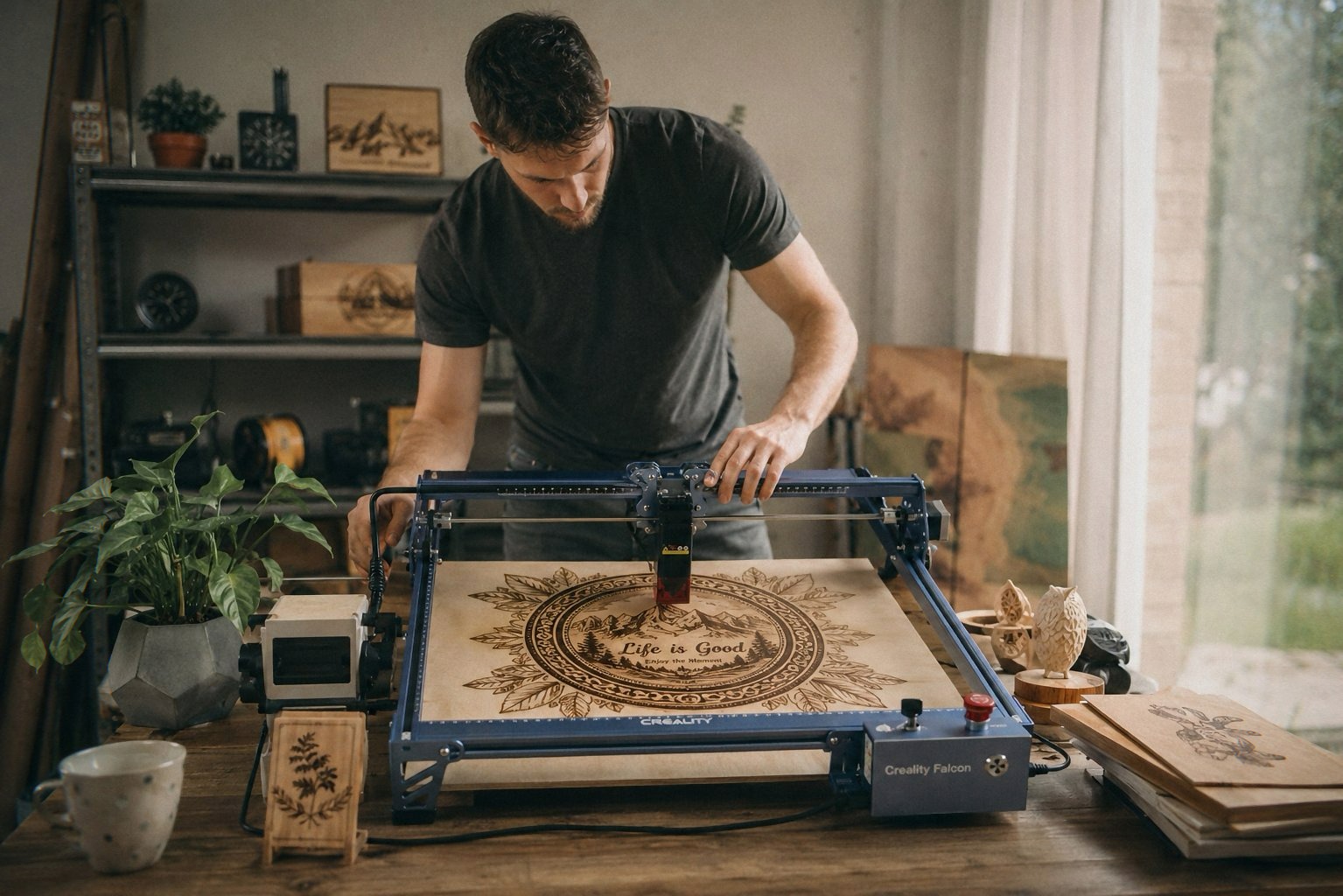
CREALITY FALCON 10W
- 10W output — cuts 12mm wood, 3mm acrylic
- 4‑in‑1 rotary roller included (cylinders, spheres, rings)
- Air assist for cleaner cuts
- Assembles in 10‑20 minutes
- Supports LightBurn & LaserGRBL
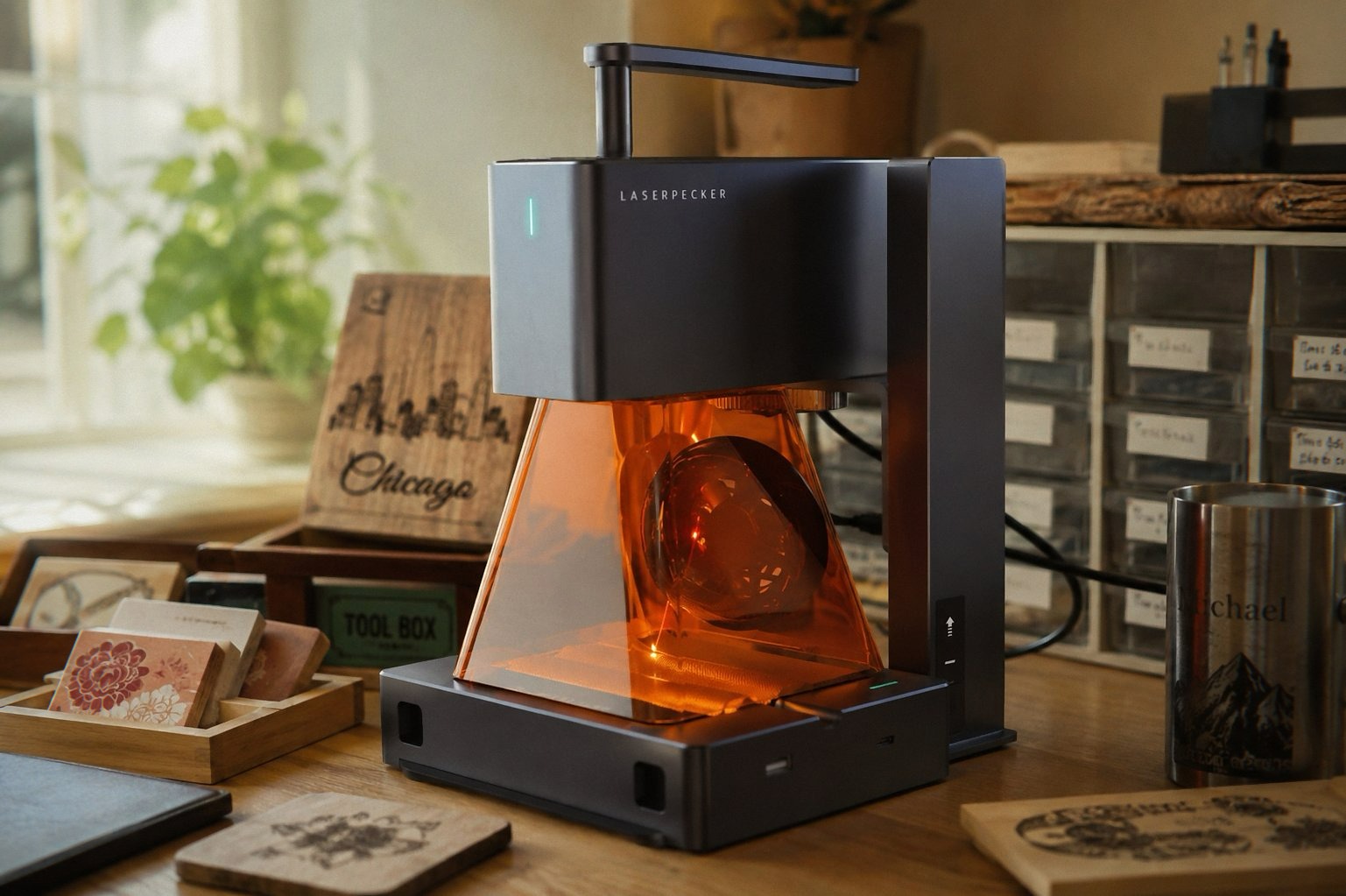
LaserPecker LP2 (Suit Set)
- Handheld & compact — fits in a backpack
- Bluetooth connectivity to smartphone/PC
- Versatile electric roller for cylinders & slabs
- 2K resolution with 0.05mm precision
- Galvo technology for fast engraving
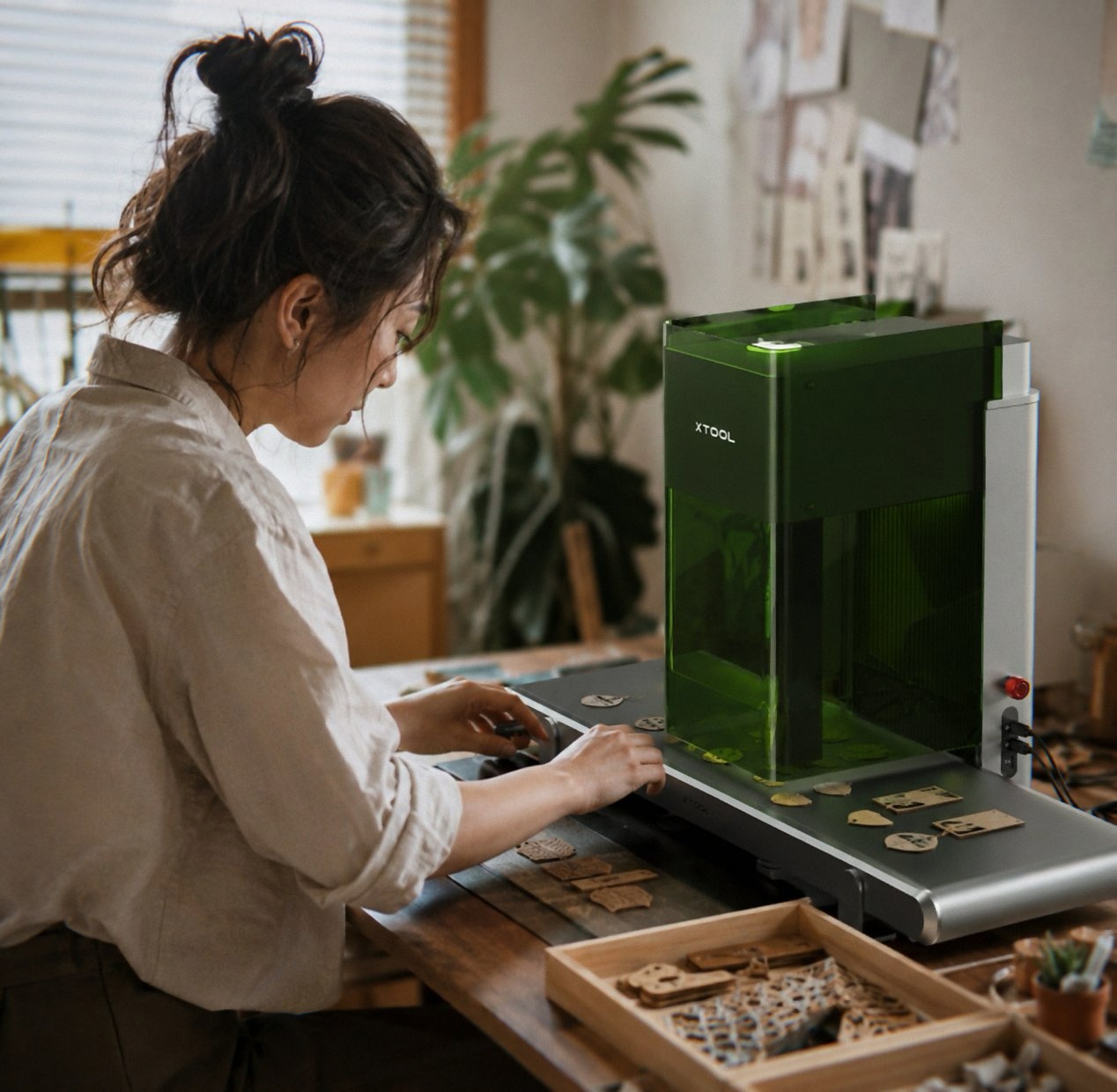
xTool F1 Ultra (20W Fiber+Diode)
- 20W fiber + 20W diode — engraves all metals
- 10,000mm/s speed — batch production ready
- Rotary attachment for tumblers, bottles, spheres
- 16MP camera & auto‑conveyor compatible
- 3D embossing & deep engraving
How to Choose the Right Laser Engraver
Focus on these four factors to match the machine to your specific use case.
Power & Material Compatibility
10W diode lasers handle wood, leather, acrylic, and coated metals. For bare metal engraving, you need a fiber laser (like xTool F1 Ultra). Choose based on your primary materials.
Rotary Attachment for Tumblers
If you plan to engrave cylindrical objects (cups, bottles, pens), a rotary roller is essential. All our top picks support this, but the xTool F1 Ultra's rotary is the most advanced for metal.
Portability vs. Workspace
If you have limited space or need to move your engraver frequently, the LaserPecker LP2 is unmatched. For a dedicated workshop, the CREALITY FALCON offers a larger bed.
Software & Ease of Use
Beginners should look for machines that support LightBurn (industry standard) or have intuitive apps. CREALITY FALCON works with LightBurn and LaserGRBL; LaserPecker has a dedicated mobile app.
Your Laser Engraver Questions Answered
We recommend the CREALITY FALCON 10W for beginners. It's affordable, comes with a rotary roller and air assist, assembles in 15 minutes, and works with easy‑to‑use software like LightBurn. Its 4.3-star rating from 288+ buyers confirms its reliability for newcomers.
Yes, if you value flexibility. The LaserPecker LP2 is a true portable laser engraver that connects via Bluetooth to your phone and can be used handheld. It's perfect for craft shows, small apartments, or creators who move between workspaces. Despite its 5W power, it delivers excellent detail on wood, leather, and coated metals.
The xTool F1 Ultra is the ultimate laser engraver for tumblers. Its dual laser (20W fiber + 20W diode) and rotary attachment allow deep, permanent engraving on stainless steel, coated cups, and even curved glass. With 10,000mm/s speed, it's also suitable for small‑batch production.
Yes. The CREALITY FALCON 10W can cut up to 12mm wood in one pass. The xTool F1 Ultra's diode laser cuts up to 15mm wood. The LaserPecker LP2 is limited to thin wood (under 0.2") but excels at engraving. Choose based on your cutting needs.