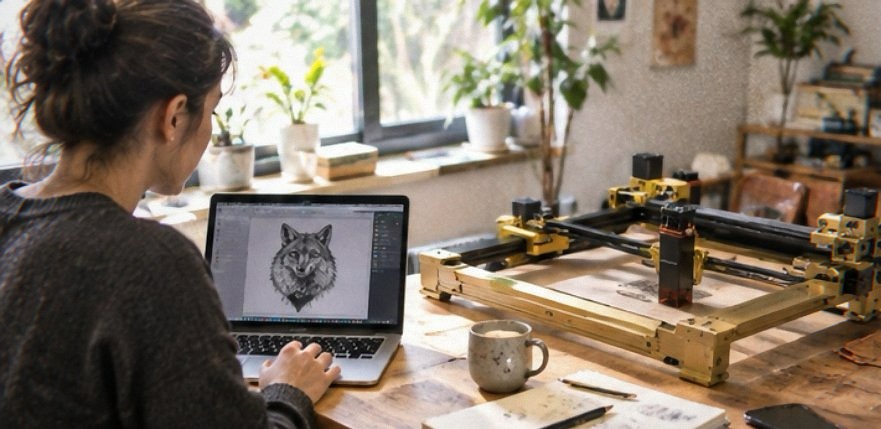
I’ve had the Artilume T1 set up on a folding table in the garage since the spring, and the thing I keep coming back to is how little space it takes when I’m done with it. The Artilume T1 is a 7000mW diode laser engraver with a 200x150mm work area, a foldable frame, a riser for taller work, and an enclosure that goes over the top while it runs. I bought it to burn designs into walnut coasters, plywood signs, and the occasional leather patch, and I’ve put enough hours on it now to know where it earns its $185 and where it annoys me.
Contents
- What 7000mW and a 200x150mm Bed Feel Like in Use
- The Foldable Frame and Enclosure in a Small Workshop
- Setup, the App, and How I Actually Control It
- The Height Extension and What It Opens Up
- Materials I’ve Cut and Engraved, and the Honest Limits
- Where the Artilume T1 Falls Short
- How It Compares to Other Budget Diode Lasers
- Who Should Buy the Artilume T1
What 7000mW and a 200x150mm Bed Feel Like in Use
The power number matters less than people think, and the bed size matters more. On 3mm basswood plywood I run two passes at moderate speed and get a clean cut; on 5mm I’m doing three or four passes and accepting a bit of char on the underside. That’s the honest reality of a 7000mW diode head. It cuts thin stock comfortably and thick stock slowly.
The 200x150mm area is the part that surprised me. It’s big enough for a coaster set in one go, or a sign roughly the size of a sheet of paper folded in half. I’ve stopped tiling small jobs because I can just lay them out across the bed.
What it cuts without drama
Basswood and birch plywood up to about 3mm, dark cardstock, leather up to a couple of millimetres, and anything you’re engraving rather than cutting. Engraving is where this machine is genuinely quick.
What it will not cut
Clear acrylic is a no. The beam passes straight through it. White or light-colored acrylic behaves the same way. If acrylic is your main material, a diode laser is the wrong tool and you want a CO2 machine.
The Foldable Frame and Enclosure in a Small Workshop
The folding frame is the reason this lives in my garage instead of being a permanent bench hog. When I’m finished I collapse the gantry down, drop the enclosure over it, and the whole thing tucks against the wall in a footprint not much bigger than a large shoebox.
The enclosure is a soft-sided shell with a viewing window. It keeps the worst of the smoke and the bright glare contained, and it stops me from accidentally walking into a live beam. It does not make the machine safe to run unattended, and I’d never leave it going while I’m out of the room.
Ventilation is still on you. The enclosure has a port for an exhaust hose, and without one the garage smells like a campfire for an hour after a cutting session. I run a cheap inline fan and ducting out a window and that fixes most of it.
Setup, the App, and How I Actually Control It
Assembly took me about forty minutes with the included tools. The frame bolts together logically, and the belt tension was close enough out of the box that I only adjusted it once after the first week.
Control runs through the companion app on my phone, and it also takes jobs sent from a computer. The app is fine. It connects, it frames the job, it lets you jog the head and set the origin.
The app’s weak spots
It’s slow to reconnect if my phone has been asleep, and I’ve had one job where the preview didn’t match where the head actually started. I re-framed and it was fine. If you’re the type who wants a desktop-first workflow with LightBurn-style control, budget for the learning curve of doing everything through a phone.
Getting the focus right
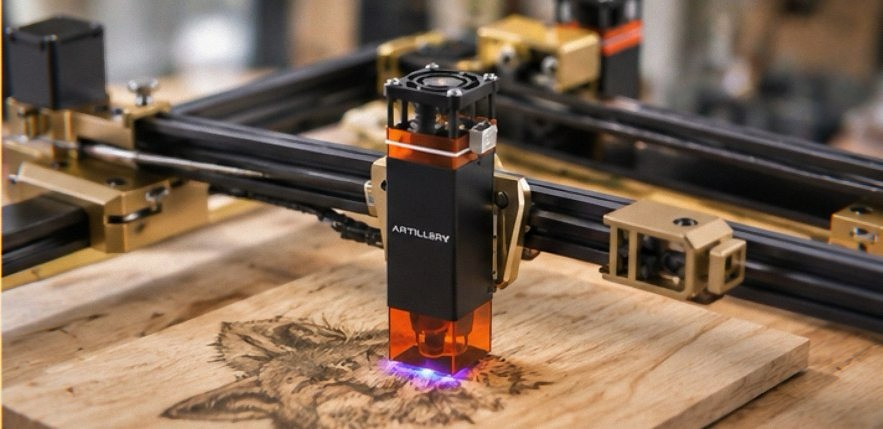
Focus is manual with a sliding head and a spacer gauge. It takes ten seconds and it’s the single thing that most affects your results. Get it wrong and you’ll wonder why the machine seems weak.
The Height Extension and What It Opens Up
The height extension lifts the laser head so you can fit taller objects underneath. I’ve used it to engrave the side of a thick oak block and to mark a cylindrical tumbler I’d clamped in place. It works, and it’s the difference between engraving flat stock only and being able to mark objects with some depth to them.
You lose a little rigidity when the head is raised, so I keep speeds a touch slower for tall jobs. It’s a tradeoff I’m happy to make because it means I don’t need a rotary attachment for simple round work.
Materials I’ve Cut and Engraved, and the Honest Limits
Here’s the short version of what I’ve run through it:
- Basswood and birch plywood: the bread and butter. Cuts cleanly up to 3mm, needs patience beyond that.
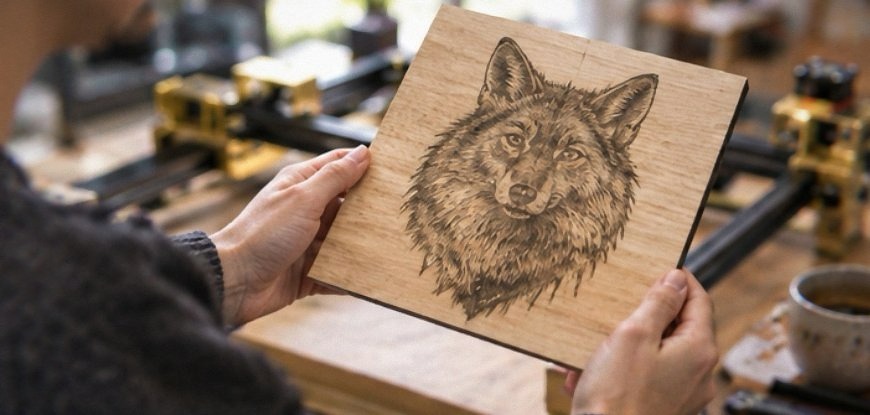
- Walnut and oak: engraves beautifully with dark, crisp contrast. Cutting solid hardwood is not realistic.
- Leather: engraves well at low power. Watch the smell, and never leave it running without ventilation.
- Cardstock and paper: fast and clean, great for invitations and tags.
- Coated or PVC materials: don’t. The fumes are genuinely harmful.
I keep a notebook of settings for each material because the app doesn’t hold a great library and I got tired of re-guessing power and speed every session.
Where the Artilume T1 Falls Short
The software is the weakest part of the package. Reconnecting is fiddly, the settings library is thin, and I’ve had to re-frame a job more than once. If you want a polished desktop-grade control experience out of the box, this isn’t it.
Smoke management is entirely on you. The enclosure helps but doesn’t solve it, and if you’re working in a spare bedroom or a shared space, you’ll need real ventilation or you’ll regret it.
There’s no camera alignment, so positioning is manual and a little tedious on intricate jobs. You frame, you eyeball, you hope. For repeat production work that gets old fast.
And the focus gauge is a small plastic piece I’ve already nearly lost twice. It’s the kind of part I’d 3D-print a spare of.
If you buy through a link on this page I may earn a small commission. It does not change what you pay.
How It Compares to Other Budget Diode Lasers
The two names most people weigh against this are the Ortur LM2 and the Atomstack A5 series. I’ve used an Ortur briefly and know the Atomstack by reputation, so I’ll keep this to the differences that actually change a buying decision.
| Feature | Artilume T1 | Ortur LM2 / Atomstack A5 class |
|---|---|---|
| Enclosure included | Yes, soft-sided | Usually sold separately |
| Folding frame | Yes | Typically fixed frame |
| Height extension | Yes | Often an add-on |
| Control | Phone app first | Desktop software first |
The pattern is clear. The Artilume T1 bundles the accessories other budget lasers make you buy piecemeal, and it leans on a phone app instead of desktop software. If you want a self-contained kit that packs away, that bundle is worth real money. If you want maximum control-software flexibility, the desktop-first machines still have the edge.
Who Should Buy the Artilume T1
At $185 I think this makes sense for a specific person: someone with limited bench space who wants to engrave wood, leather, and cardstock, and who values a kit that folds down and includes its own enclosure and riser. You get a lot of the accessory shopping done for you.
If you’re cutting acrylic, running a production business, or you want deep desktop software control, put your money elsewhere. A CO2 machine or a desktop-first diode with proper software will serve you better, and you’ll spend more to get there.
The one thing to check before ordering is your ventilation situation. This machine will fill a room with smoke, and no enclosure in this price range changes that. Sort out a window, a hose, and a fan first. Then the Artilume T1 is a genuinely good little engraver for the money.
The current price on Amazon is worth a look if the bundle appeals.