I was having a perfectly fine Sunday afternoon until my girlfriend asked if I could engrave a personalized message on a wine glass for her friend’s bridal shower. My first thought was, “Great, another reason to drag the Creality Falcon 10W out of the garage and set it up on the patio table.” But I’d just finished a long session with that machine, and honestly, I didn’t have the energy for the whole ritual—setting up the rotary roller, adjusting the focus, dealing with the air assist pump’s drone. I just wanted something quick. Something I could do on the kitchen counter while my coffee was still hot.
That’s where the LaserPecker LP2 comes in. I’d heard about this thing—the portable laser engraver that looks like a chunky white flashlight and fits in a tote bag. It’s not a machine you build over a weekend. It’s a machine you keep in a drawer and pull out when inspiration hits. And after wrestling with bigger, more demanding machines like the Creality Falcon, the idea of something that promised plug-and-play portability was deeply appealing.
It arrived in a compact box. No assembly required. Just take it out, plug it in, and download the app. That’s it. The machine itself is surprisingly solid—aluminum body, weighty in a reassuring way, with a conical protective shield that snaps on magnetically. It’s the kind of product that feels expensive before you even turn it on. I set it up on the kitchen table, my cat immediately curious and unhelpful as always, and had the LaserPecker LP2 powered on within three minutes of opening the box.
LaserPecker LP2 Laser Engraver with Roller
First impressions: tiny, cute, and surprisingly fierce
The LaserPecker LP2 uses galvo technology, which means it moves the laser beam with mirrors rather than moving the whole laser head. The result? Insane speed. It engraves at up to 1417mm/min, and honestly, it feels faster than my bigger diode laser. The first test engraving—a small Celtic knot on a piece of scrap wood—took maybe 15 seconds. Fifteen seconds! I blinked and it was done. Compared to my Creality Falcon 10W, which would take a few minutes for the same design, this felt like magic.
That speed comes with a trade-off, though. The work area is tiny. The LaserPecker LP2 maxes out at about 4 inches wide and up to 19.6 inches long if you use the roller in “trolley mode.” For small items—jewelry, coasters, keychains, the back of a phone case—it’s perfect. But if you want to engrave a full cutting board or a large sign, you’ll want something with a bigger bed. It’s not a replacement for the Falcon. It’s a complement.
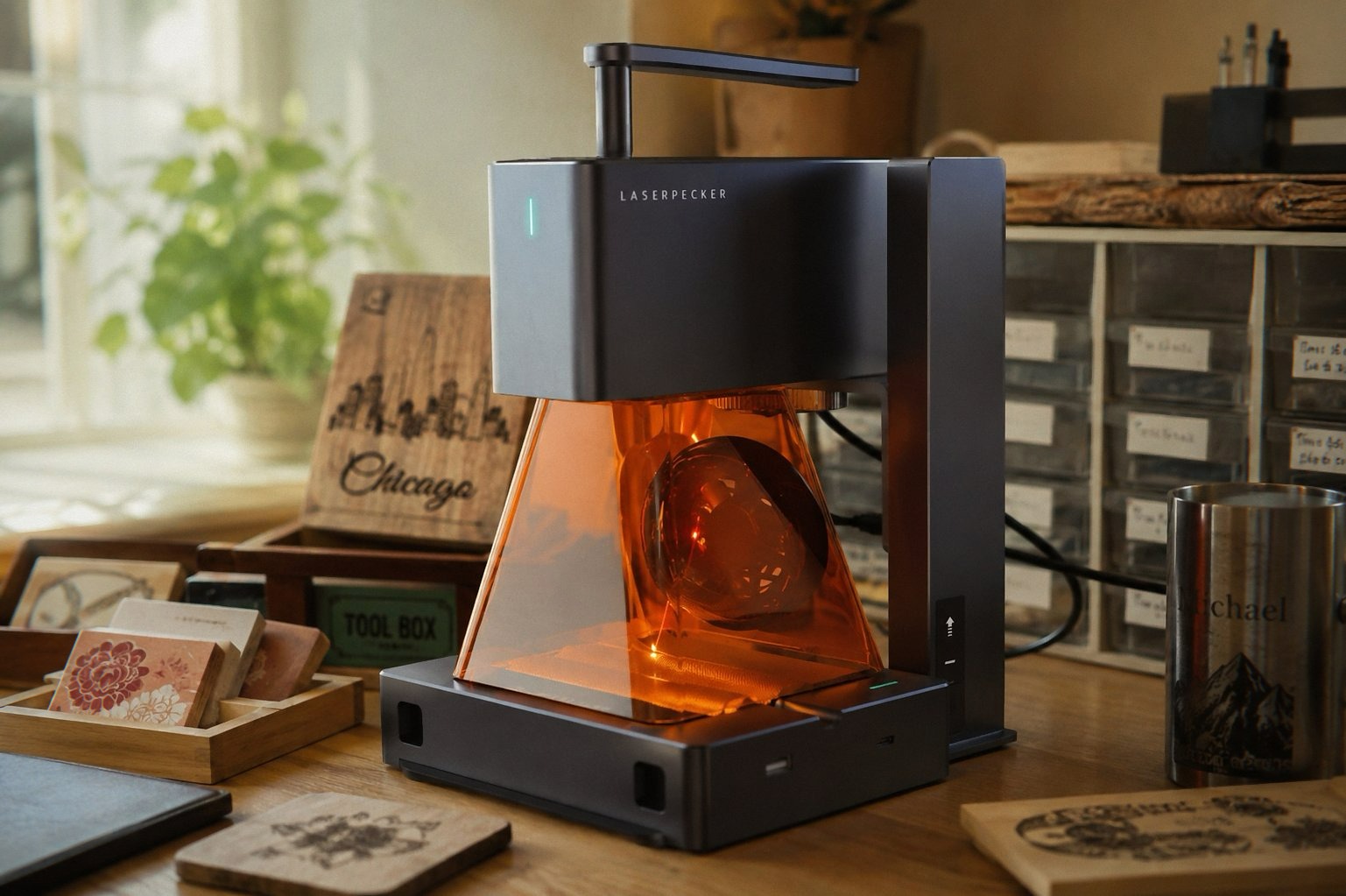
I still went back to my Creality Falcon 10W when I needed to cut through 10mm wood. The LP2 can cut paper and thin wood (up to 0.2 inches), but it’s primarily an engraver. You’re not going to be cutting out complex shapes with this thing. It’s for surface work. Fine, detailed surface work that looks like it was done by a machine twice the price.
The resolution is adjustable up to 2K, which is impressive for a handheld device. The compressed spot size is 0.05mm—smaller than the Falcon’s 0.6mm—so it can handle finer details. I tested it on a piece of anodized aluminum with a small family crest design, and the detail was incredible. Every line, every tiny swirl in the pattern, perfectly reproduced. The laser just dances across the surface.
The roller that actually does something useful
The LP2 comes with a versatile electric roller that serves three modes. In “Cylinder mode,” it spins cylindrical objects like tumblers, wine glasses, and even pencils while the laser engraves. In “Slab mode,” it moves the object along a track to extend the engraving length beyond the machine’s fixed width. And in “Trolley mode,” the whole machine rolls along a track to engrave long objects like guitar necks or baseball bats.
I used the roller to engrave a stainless steel tumbler with the LaserPecker LP2. The same kind of tumbler I’d struggled with on the Creality Falcon’s rotary kit. The Falcon requires calibration, manual adjustments to steps per millimeter, and a fair bit of trial and error. The LP2’s roller? I just placed the tumbler on the rollers, selected “Cylinder mode” in the app, and hit go. The machine handles the rotation automatically. The engraving came out clean and even, no wobble, no distortion. It literally took me 30 seconds to set up. I was so surprised I sat there watching it finish the whole job, coffee getting cold again, just to make sure it wasn’t a fluke.
That’s not to say the roller is perfect. It’s finicky with non-cylindrical objects. Conical shapes—like wine glasses with a tapered stem—require careful placement, and I had mixed results. The roller also doesn’t work well with heavy or oversized items. If you’re doing tumbler-sized things, you’re golden. If you’re trying to engrave a metal thermos with a wide base, you might need to improvise.
The app situation: oh boySee Today’s Deal on Amazon
If you grab one through the links here, I might get a small cut—costs you nothing extra and keeps the lights on. And at $700 for the LP2 Suit, I’m hoping you make the right call.
The LaserPecker app is your gateway to everything. You connect over Bluetooth, which is mostly reliable. I say “mostly” because there were a few times it just refused to pair. I’d close the app, reopen it, reset the machine, and eventually it’d connect. But that’s a process. When it works, it’s fine. When it doesn’t, you’ll want to throw your phone across the room.
But here’s the real problem: the app is basic. And I mean basic. The studio version gives you a few more options—adjustable power, speed, and resolution—but it’s still a far cry from something like LightBurn. You can import JPG, PNG, and a few other formats, but the built-in editing tools are minimal. You can’t do multiple passes in one job. If you want a deeper engraving, you have to run the same job again manually. And again. And again.
For simple designs, it’s fine. I engraved a few QR codes for a friend’s business—you know, the ones that link to their website and look so clever on product packaging. The app handled them well. But for complex vector work or multi-layer designs? You’ll be frustrated. The app doesn’t have the depth that LightBurn offers, and you can’t easily connect the LP2 to a PC for advanced workflow. It’s designed for mobile-first use, which is great for portability, but not great for serious makers.
One thing I’ve noticed after weeks of use: the Bluetooth connection on the LP2 gets spotty when the machine is hot. After a few consecutive engraving jobs, the connection drops intermittently. Not enough to stop the job, but enough to cause a brief hesitation that can show up as a slight misalignment on detailed patterns. I’ve learned to let the machine cool down between jobs. That’s not ideal when you’re on a roll.
What it’s actually like to live with
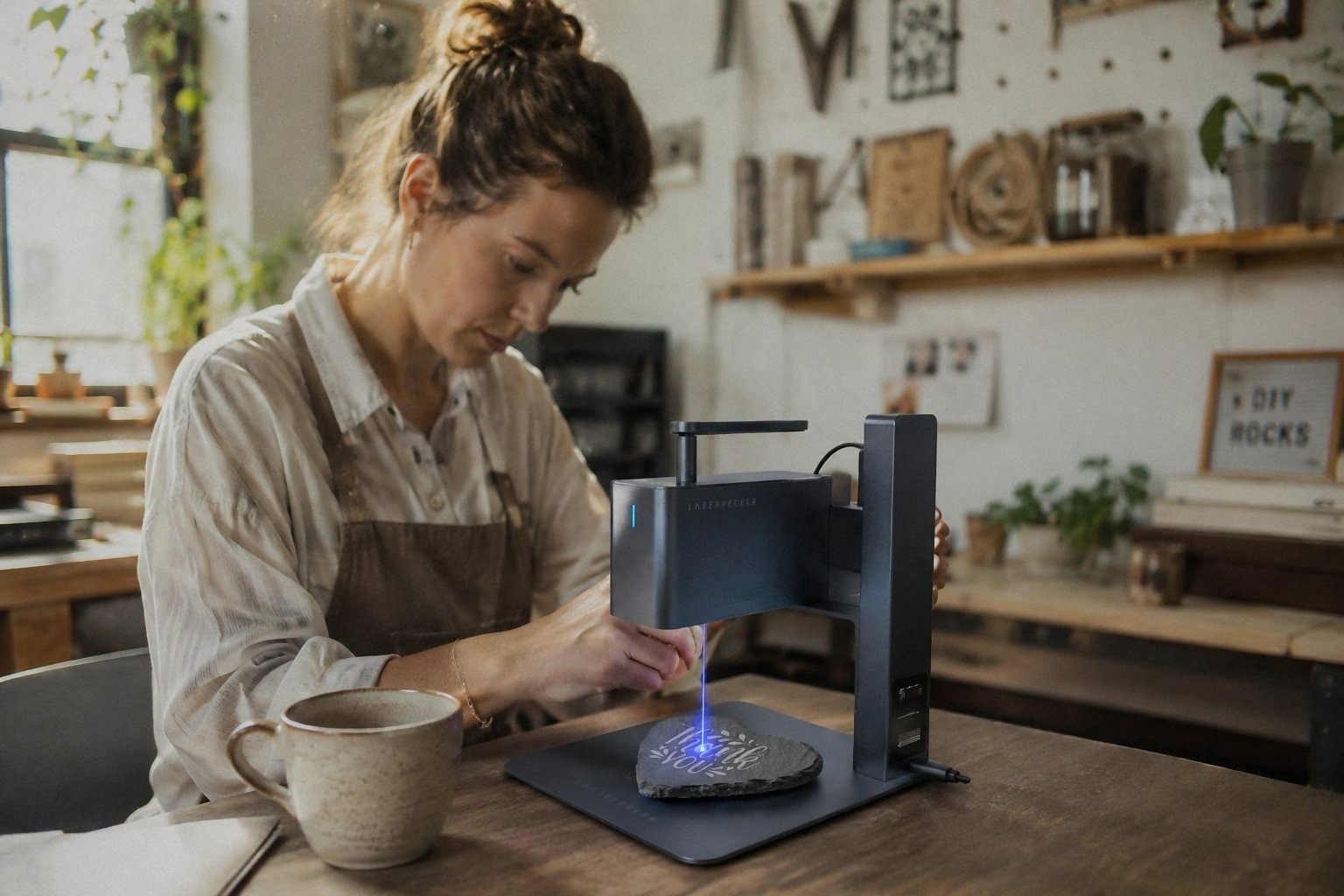
I keep the LaserPecker LP2 on a shelf in my home office, next to a box of blank coasters and wooden keychains. When I want to make a gift or test out a new idea, I just pick it up, plug it into the nearest outlet, and go. It’s the kind of machine that lowers the barrier to entry. You don’t need a workshop. You don’t need a ventilated garage. You just need a flat surface and about 10 inches of clearance.
That portability is a bigger deal than I expected. I took it to a friend’s house to engrave a custom design on a leather journal she’d bought. We set it up on her coffee table, did a test engraving on a scrap piece of leather, and engraved the final piece in less than 10 minutes. She was impressed. I felt like a magician. The whole time, my Creality Falcon was sitting in the garage, too big to move, too much effort to justify for a one-off job.
The conical protective shield is another nice touch. It completely covers the laser, so there’s no risk of accidental exposure. The safety glasses in the box are functional, though a bit flimsy. I wore them the first few times but eventually stopped because the shield does the job. That’s probably not the safest attitude, but I’m being honest.
The things that annoy me
The LaserPecker LP2 is not a pure metal engraver. It works on coated metal, anodized aluminum, and painted surfaces, but it won’t etch into raw stainless steel or shiny metal. The laser is 2W, which is fine for surface marking but lacks the power for deep engraving. If you want to engrave pure metal, look at a fiber laser instead. The LP2 can’t do it. It just reflects off the surface.
I tried to engrave a simple pattern on a stainless steel dog tag—one of those polished silver ones. Nothing. The laser just bounced off. I had to spray it with black primer, engrave through the paint, then wipe off the residue. It looked okay, but it was an extra step that I didn’t need with the Creality Falcon, which handles anodized metal easily.
The battery life is another issue. The LP2 doesn’t have an internal battery. It needs to be plugged in at all times. For a machine that’s supposed to be portable, having to find an outlet every time you want to use it feels like a missed opportunity. I get that batteries add weight, but even an hour of cordless operation would make a huge difference. I’m an iPhone user who’s perpetually at 15%, so maybe I’m just sensitive to this. But come on. In 2026, a portable device that needs to be tethered to a wall just feels slightly off.
The manual is a small booklet that covers the basics but leaves a lot to the imagination. Setting up the roller for the first time required a YouTube video. I had to figure out the correct tension for the tumbler—too tight and the motor struggled, too loose and the tumbler slipped. There’s a sweet spot, but the manual doesn’t tell you where it is.
Who should actually buy this thing
If you’re the kind of person who makes personalized gifts, runs a small Etsy shop, or just enjoys experimenting with engraving on different materials, the LaserPecker LP2 is a solid choice. It’s portable, fast, and easy to use. It’s not going to replace a larger desktop laser like the Creality Falcon 10W for cutting thick materials or large projects. But for small, detailed engraving on everyday objects—tumblers, coasters, jewelry, leather goods—it’s hard to beat.
It’s also ideal for makers who are short on space. The LP2’s footprint is tiny. It’s about the size of a small toaster. You can keep it in a drawer and forget about it until you need it. That’s its superpower. You’re not dedicating a workbench to it. You’re just using it when the inspiration strikes.
The price tag—around $700 for the Suit set with the roller—is steep for a 2W laser. You could get a more powerful desktop engraver for that money, but you’d lose the portability. It’s a trade-off. If you value convenience and speed over raw power, the LP2 is worth considering. If you need to cut through thick materials or do large-format engraving, look elsewhere.
A side-by-side thought
I’ve been using the Creality Falcon 10W as my workhorse for larger projects. It’s the machine I go to when I need to cut thick wood, engrave larger pieces, or use advanced software like LightBurn. The LaserPecker LP2 is the machine I use when I’m doing quick gifts, small items, or when I want to work in a different room. They’re not competitors. They’re teammates. One does the heavy lifting, and the other does the fine work quickly and quietly.
Would I have bought the LP2 if I already had the Falcon? Maybe not. But having both has completely changed my workflow. I don’t have to choose between power and portability. I just reach for whatever makes sense for the job.
I was testing the LP2 on a small piece of bamboo when my girlfriend walked in and asked if I could engrave a set of wine glasses for her book club. That’s the thing about this machine—it invites requests. People see it working and immediately start asking if it can do this, that, and the other. And most of the time, the answer is yes. Not because it’s the most powerful laser out there, but because it’s so easy to use that you’re happy to try.
If you’re on the fence, I’d say this: if you want a laser engraver that you can take to a craft fair or set up on a friend’s kitchen table, the LaserPecker LP2 is a great choice. If you need to cut materials or do large-format work, pair it with something like the Creality Falcon 10W. Together, they cover almost everything I need. See Today’s Deal on Amazon
I can’t decide for you. At that price point, it’s a personal choice. But I’ve had mine for months, and I use it more than I expected. My only regret is not buying the Bluetooth adapter dongle for a more stable connection. I guess that’s next on the list.
Anyway, I’ve got a leather journal waiting for engraving and a mug of tea that’s now lukewarm. The cat is sitting on the manual again, which I should probably move. I’ll let you know if the adhesive on those sliders gives out. For now, it’s working.