The smell of burnt wood still lingers in my kitchen. It’s been three days. I moved this thing from the garage because the Wi-Fi kept dropping, and now my dinner prep area smells like a campfire that got ambitious. The xTool F1 Ultra is sitting on my table, taking up roughly the same footprint as a small dog, and I’m still not sure if I love it or if it’s holding my sanity hostage.
My old diode laser—some no-name thing I bought off a flash sale, we won’t talk about it—finally gave up on a Tuesday. Just stopped. No warning, no dramatic spark, just a sad little blinking light. I had a batch of stainless steel keychains due for a local craft fair and zero backup plan. So I did the thing you’re not supposed to do: panic-bought the most expensive option I could find and figured the credit card could absorb it later.
This is the xTool F1 Ultra. It’s the world’s first 20W fiber and 20W diode dual laser setup, claims speeds of 10,000mm/s, has a 16MP camera that supposedly auto-aligns everything, and costs more than my first car. I’ve been running it for about six weeks now—through wood, acrylic, stainless steel, brass, leather, and one regrettable experiment with glass that I’ll get to—and I’ve got Opinions.
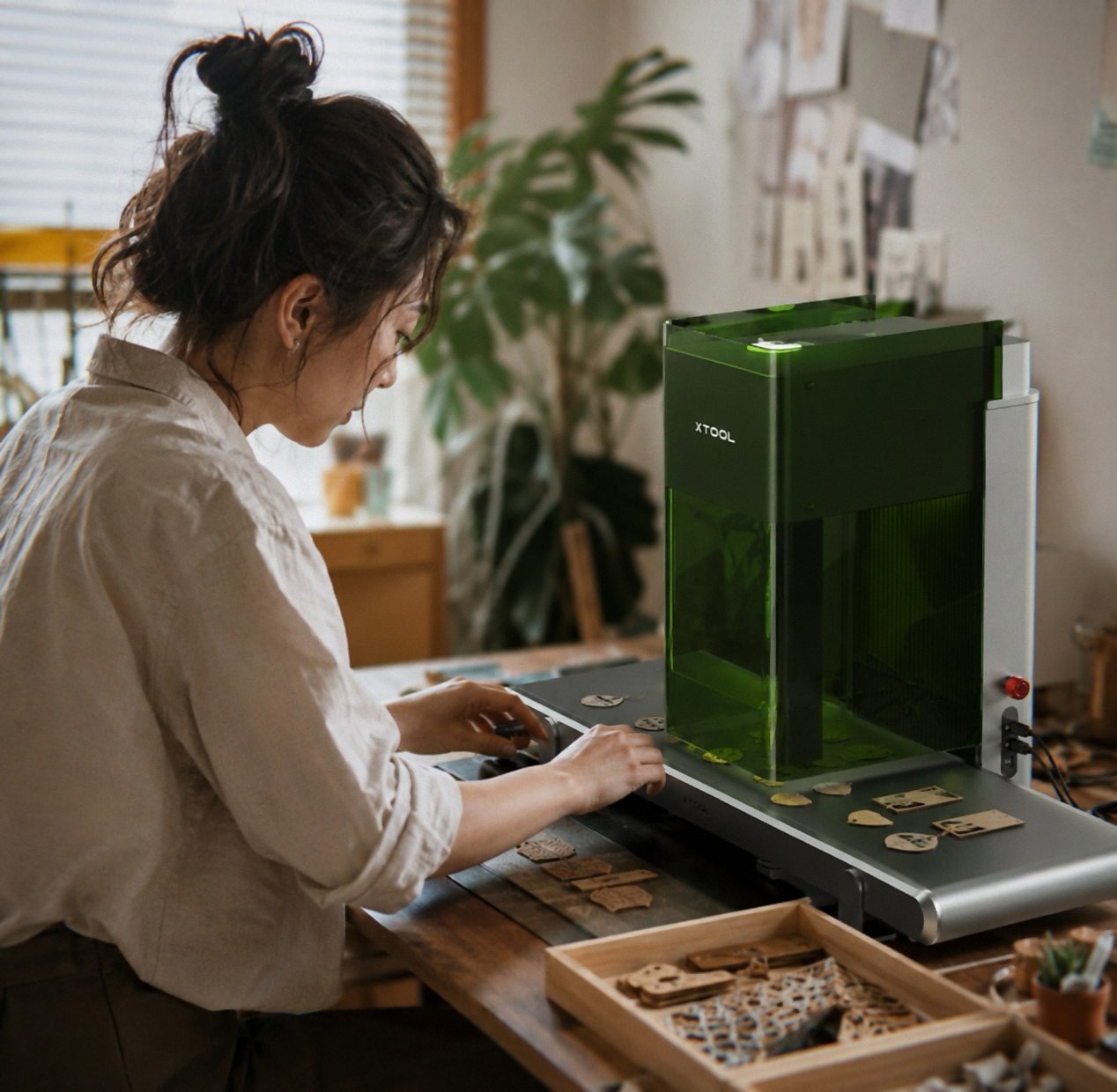
First Impressions: Wrestling a 43-Pound Brick
The box arrived on a Friday. Big. Heavy. The delivery guy gave me a look that said “you owe me a chiropractor visit.” The F1 Ultra weighs 43.8 pounds—that’s not a “move it around the workshop” weight, that’s a “find a permanent home and commit” weight. My previous machine was maybe 15 pounds. I could stash it on a shelf. This thing? It’s 18 x 17 x 24 inches of solid metal and glass. I lifted it onto my workbench and immediately regretted not waiting for a second pair of hands.
Unboxing was oddly pleasant, though. I’ll give xTool that. Everything’s nested in foam, no rattling, a little pull-tab system that made me feel like I was opening a piece of pro audio gear instead of something that’s about to shoot concentrated light at things. The smell of new electronics—that faint chemical plastic-and-solder scent—filled the room. It’s faded now, mostly, but for the first week, every time I walked past, I got a hit of it. Not unpleasant. Just… specific.
The build quality feels solid. Not premium in a flashy way—no brushed aluminum vanity panels or RGB lighting—but heavy-duty. The rails are chunky, the lid closes with a satisfying thunk, and the emergency stop button is big enough that you could smack it blindfolded. The rotary attachment (for curved surfaces like tumblers or rings) came in a separate box. And yeah, I was missing a screw for that rotary attachment, exactly like one reviewer mentioned. It was just one screw, the kind you could find at a hardware store, but still—for almost three grand, I want all the screws.
I set it up on my kitchen table because my workspace is a disaster zone. The cat immediately jumped on top of it. The cat is fine. The laser was not on. I’m not a monster.
The Camera Isn’t Just Marketing Fluff See Today’s Deal on Amazon
Okay, here’s the thing I was most skeptical about. The 16MP “Smart Camera” that supposedly projects your design onto the material before you engrave, so you can align everything perfectly. I thought that was marketing nonsense. My old laser had a little red dot pointer that sort of showed you where the beam would hit, and that was a constant game of “guess and check.” Tape. Sacrificial cardboard. Prayers.
The F1 Ultra’s camera actually works. I don’t know how they did it—probably some witchcraft involving the dual lasers and the exact optical path—but when I set up a design, the lid flips up, and the camera projects the exact image I’m about to burn onto the material. Not a bounding box. Not a crosshair. The actual graphic. It’s disorienting the first time. You put a stainless steel coaster in, hit the “preview” button, and boom—there’s your design, ghosted onto the metal like a hologram. You can nudge it around on the screen and see the projection shift in real time.
I spent maybe twenty minutes just moving things around and giggling. I’m not proud of this. It’s a tool, not a toy. But it’s a tool that makes you feel like you’re in a sci-fi movie.
The alignment is genuinely accurate. I’ve done runs of 20 identical keychains with no wasted material. No re-centering. No test burns. The camera sees the workpiece, maps it, and the software (xTool Creative Space, free on PC and mobile) handles the rest. It saved me hours of frustration. I would have paid a few hundred bucks just for that feature alone.
Speed: 10,000mm/s Is Not a Typo
The marketing says 10,000mm/s. I didn’t believe it. I setup a quick stainless steel dog tag—small, maybe 30mm across, some text and a simple paw print—and hit go. It was done before I could blink. I actually checked the piece to see if it had done anything. It had. Clean, deep engraving. Under two seconds.
I engraved a full set of aluminum business cards with QR codes and logos. The whole batch—I think 50 cards—took maybe eight minutes. That’s not eight minutes per card. That’s eight minutes for the entire job. My old diode laser would have taken an hour and a half, and I’d have had to babysit it the whole time.
The fiber laser handles metal like it’s nothing. Stainless steel? Clean. Brass? Deep. Titanium? I don’t have any titanium, but I believe the marketing on that one. The diode side—the blue laser—chews through wood, acrylic, leather, rubber. I made a batch of wooden coasters with intricate Celtic knots. The diode did 15mm thick pine in a single pass. My old machine would have needed three passes and still left char marks.
The speed creates a weird problem, though. You run out of things to engrave. I made everything in my house that could theoretically be engraved. Dog tags. Spoons. Phone cases. A cutting board. The neighbor’s mail slot—okay, I didn’t, but I thought about it. When a job takes seconds instead of minutes, you suddenly have all this free time and a machine that’s begging for more work.
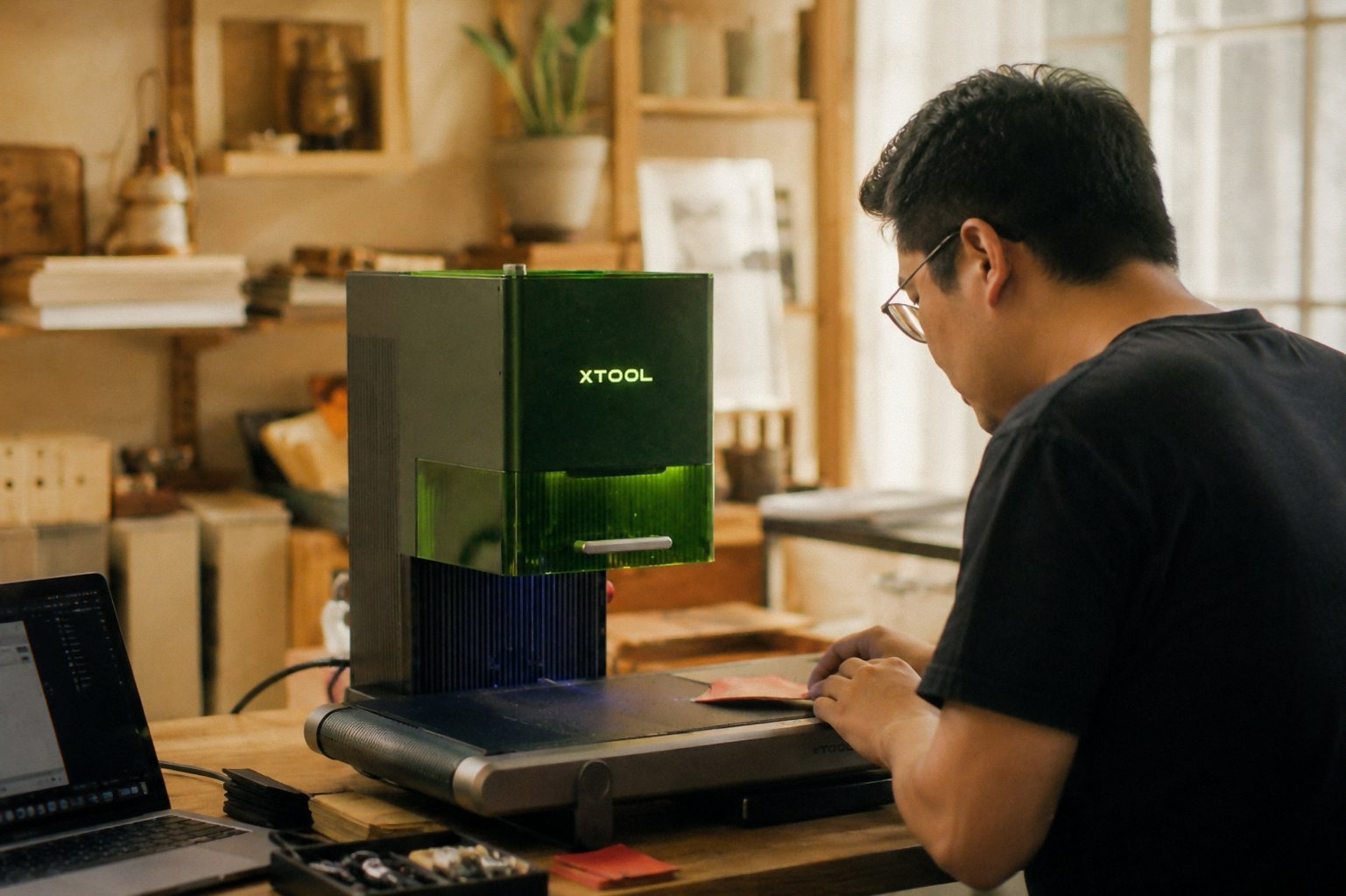
3D Embossing: My Unexpected Obsession
I didn’t buy this thing for 3D engraving. I bought it for speed and metal capability. But the F1 Ultra does this thing where it can do “3D embossing”—basically, it carves out depth, creating a relief effect that looks like it was stamped or molded. I threw a brass challenge coin at it, some design I found on a forum, and watched it carve layers. The machine went over the same spot maybe eight or nine times, each pass slightly deeper in different areas. The result was a coin that had actual raised details, not just a flat engraving. It caught the light. I ran my thumb over the surface and felt the texture.
I’ve since made 3D coins for friends as gifts. They ask me if I bought them somewhere. They don’t believe me when I say I made them on a laser. The detail is that good. The fiber laser’s spot is 0.08 x 0.1mm—small enough to get into crevices without blurring. The diode spot is even smaller at 0.03 x 0.03mm on the F1, but on the Ultra, I’m not sure if it’s the exact same—honestly, the specs get a little confusing—but either way, the resolution is fine enough for photo engraving. I tried a photo of my dog on a piece of maple. It came out looking like a sepia-toned intaglio. My girlfriend thought I’d bought it from an Etsy seller.
I’m not a 3D artist. I use the software’s depth mapping feature, which translates grayscale images into depth layers. You feed it a logo or a photo, adjust the contrast, and the machine figures out the rest. It’s shockingly intuitive. That said—and this is important—the learning curve for advanced features is real. You can get good results in five minutes. You’ll get great results after a few dozen hours of experimentation. I’m still not great. But I’m getting there, and the machine is more capable than I am.
The Software: Free, Mostly Great, Some Paywalled Gripes See Today’s Deal on Amazon
xTool Creative Space is free. Desktop app. Mobile app. Wi-Fi connection (I prefer the USB cable, honestly, because the Wi-Fi dropped once during a job and I nearly had a heart attack). The interface is clean, not overly technical. It feels like they designed it for people who want to make stuff, not for engineers who need to tinker with every parameter.
The AI tools are genuinely useful. They have a “Generate Design” feature that can create patterns, text, vector graphics from text descriptions. I asked it for a “geometric mandala with a Celtic flair,” and it popped out something I would have spent hours drawing myself. It works. It’s not perfect, but it’s a starting point.
But here’s the bitterness creeping in. Some features are paywalled. I paid three thousand dollars for this machine, plus tax, and the desktop app still asks me to subscribe for certain advanced capabilities. It’s not a huge amount—something like a monthly fee for the premium AI tools—but it leaves a bad taste. I just dropped almost three grand. Don’t nickel-and-dime me for design features. If I’m a small business owner, I’m already stretched thin. That’s the kind of thing that makes me look at other brands, and honestly, I’ve looked at the Creality Falcon 10W and LaserPecker LP2 for smaller jobs, and those don’t have subscription nonsense. xTool, if you’re reading this—just build it into the price. I’d rather pay upfront and not think about it.
The Safety Features Are Legit, Not Lip Service
The F1 Ultra has a fully enclosed cover with a window that filters the strong blue light. I’ve looked at it during a job—don’t do this, obviously, but I peeked—and it’s safe. You can’t see the beam directly. The material doesn’t catch fire because the exhaust system is aggressive. It pulls smoke out fast. I didn’t notice it until I opened the lid after a job and realized how much smoke wasn’t in the air. Compared to my old laser, where I’d set up a fan and a window, this is night and day.
Fire safety alarm, emergency stop button, something about a motion sensor that pauses the job if the lid opens. It feels like they actually thought about someone using this in a retail space, customizing things for customers while they wait. I don’t do that, but if I did, I’d feel comfortable having a stranger stand next to it.
Downsides (Because There Are Always Downsides)
The hardware failures reported by other reviewers are real. I read the reviews before buying—one person had two units fail within 30 days. Another had a firmware update break the access point. I’ve had none of that, but I’m only six weeks in. My machine is running fine, but I’m cautious. I haven’t updated the firmware since the day I got it. I’m not touching that until they’ve ironed out the bugs, and I’m passing that advice along: don’t update the firmware immediately. Check forums. Wait a week.
The weight is a downside if you’re mobile. This isn’t a grab-and-go machine. It’s 43 pounds. If you plan to take it to craft fairs, you’ll need a cart or a very strong friend. I keep mine on a rolling cart now—one of those utility carts from a hardware store—and I still strain my back moving it.
Cutting thin metal with the fiber laser is possible (0.3mm stainless, 0.4mm brass, 0.2mm aluminum), but it’s not what I’d call a cutting machine. It’s an engraver that can sort of cut if you’re careful. If you need serious metal cutting, look elsewhere. The diode side cuts up to 15mm wood and 12mm black acrylic, which is impressive, but the kerf is narrow and you’ll need to dial in the settings. I cut some acrylic panels for a shadow box—clean edges, no melting. Fine for small projects.
Glass is a disappointment. The marketing says it supports “almost all materials” and it does, but glass engraving is weak. I tried a whiskey glass with the rotary attachment. It left a frosted mark, sure, but it was faint and uneven. I fiddled with settings for two hours. The result was… okay. Not the brilliant product I’d hoped for. If glass is your primary material, this might not be the machine for you. I suspect the 5W UV machine from xTool’s lineup handles glass better.
The manual is dense and not particularly helpful. I ended up watching YouTube videos for the first two days. The software is great, but the printed guide feels like it was written by someone who’s never used the machine. Probably fine for a beginner? I don’t know. I’ve been doing this for a few years, and I still found myself lost on the deep engraving settings.
Value: Is This Thing Worth $2,898?
Look, I paid the full price. It was on sale—36% off the $4,499 list, which is a fake price anyway, no one pays that. But $2,898 is real money. That’s not a casual hobbyist purchase. That’s a “I’m serious about making money with this” purchase, or a “my business depends on this” purchase.
I’ve already made back about half of the cost on custom orders. Small batches, nothing huge, but the speed lets me take on jobs I’d have turned down before. The quality is high enough that customers don’t complain. The camera saves me material waste. The rotary attachment means I can do tumblers and mugs, which is a whole market I couldn’t touch before.
If you’re a hobbyist who engraves once a month, this is overkill. Buy a cheaper diode laser, or even a CO2 if you need larger area. If you’re running a small business or growing one, and you need speed, metal capability, and precision, the F1 Ultra is a legitimate contender. The build quality is there. The features are there. The software is mostly there. The reliability is still a question mark—I’m watching that 30-day failure window nervously—but so far, so good.
If you grab one through the links here, I might get a small cut—costs you nothing extra and keeps the lights on. And honestly, if you’re on the fence, wait for a sale. They do them often. The product is good, but it’s not “full price” good.
The Verdict (I Hate That Word) See Today’s Deal on Amazon
I’m not going to give you a star rating or a “should you buy?” checklist. You’re an adult. You know your budget and your needs. What I will say is this: the xTool F1 Ultra does what it promises. It’s fast, it’s accurate, it handles metals and woods with equal competence, the camera is a genuine breakthrough, and the 3D embossing has become my favorite party trick. It’s also heavy, expensive, prone to firmware drama, and the paywalled software features are irritating.
Three weeks in, no failures yet. One smudge on a mirror that I blame on my own settings. The dog doesn’t care about the machine. The cat still sits on it when it’s idle. I’ve started a new batch of engraved leather journals for a friend’s shop.
I need to find a permanent place for it. The kitchen table is getting old. My girlfriend keeps asking when I’m going to move it. I keep telling her “soon.” I know I won’t.
Anyway, the windows are clean. I’m gonna go eat dinner.