You know that feeling when you drop three hundred bucks on a tool that promises to turn your hobby into a side hustle, and it arrives with a manual written by someone who learned English from a washing machine? Yeah. I’ve been there more times than I care to count. That’s why when the Artilume T1-P showed up at my door, I didn’t get excited. I got suspicious.
The price tag is the first thing that makes you raise an eyebrow. $269 for a 12-watt laser engraver with a foldable frame, APP control, and a claimed 0.01mm precision? That’s the kind of spec sheet that usually means they cut corners somewhere you’ll discover three weeks in, right after the warranty expires.
I’ve had this thing for over a month now. I’ve burned through a stack of birch plywood, ruined a few pieces of leather that I’m still pretending were intentional design choices, and engraved enough acrylic keychains to open a small Etsy shop. Here’s the unvarnished truth about whether this machine earns its keep or ends up in the corner collecting dust like every other impulse purchase.
Why I Even Bought Another Laser Engraver
Look, I already own a BlazeX M3 10W Laser Engraver Machine that I reviewed last year. It’s a solid machine for beginners, but it’s got one fatal flaw for someone like me: it takes up permanent real estate on my workbench. The thing is bulky, the enclosure is awkward, and when I’m not using it, it’s just this big black box that collects sawdust and guilt.
So when I saw the Artilume T1-P advertised as foldable, I did that thing where you tell yourself you’re being practical while you’re already reaching for your credit card. A laser engraver that folds down to roughly the size of a laptop? That’s not a luxury. That’s a survival mechanism for anyone with a small workspace.
The packaging was surprisingly decent. Not Apple-level unboxing porn, but the machine came well-protected with proper foam inserts, and the included accessories didn’t feel like they’d break if you sneezed on them. You get the main unit, the riser, the protective cover, a pair of safety glasses (which you should absolutely use even though they look dumb), and a USB cable that’s about six inches too short. That last part is annoying, but it’s the kind of thing you expect at this price point.

The Foldable Design: Gimmick or Game Changer?
Here’s the thing about foldable tools — they usually suck. The hinges are flimsy, the locking mechanism wobbles, and you spend more time fighting the folding mechanism than actually working. The Artilume T1-P doesn’t completely escape that curse, but it gets closer than I expected.
The frame is made of aluminum with a matte finish that doesn’t scream cheap. The folding mechanism uses a pair of locking hinges that click into place with a satisfying feel. When it’s fully deployed, the stability is honestly impressive. I ran the laser at full power for a two-hour engraving session and didn’t notice any flex or drift in the frame. That’s more than I can say for some machines that cost twice as much.
The work area is 200x150mm. That’s roughly 8x6 inches in freedom units. It’s bigger than it sounds, but if you’re planning to engrave large cutting boards or full-size wooden signs, you’re going to be disappointed. For keychains, coasters, small plaques, leather goods, and phone cases? It’s plenty.
Setting it up takes about two minutes. Unfold, lock the hinges, plug in the power adapter, and you’re ready to go. When you’re done, it folds back down and slides into a drawer or a shelf. My wife actually noticed the difference in my workspace. That’s how you know it’s a real improvement.
The 12W Laser: Real Power or Marketing Math? See Today’s Deal on Amazon
Let’s clear something up. When a company says “12000mW” or “12W,” they’re usually talking about the optical output of the laser diode, not the actual power that hits your material. The Artilume T1-P is a 12W optical power diode laser. In real-world terms, that means it’ll cut through 3mm birch plywood in about two passes, engrave dark wood beautifully in a single pass, and handle leather, acrylic, and anodized aluminum without breaking a sweat.
I tested it on a piece of 5mm basswood. It took three passes at 80% power and 20mm/s speed to get a clean cut through. That’s not bad for a portable machine. My BlazeX M3 does it in two passes, but it’s also a dedicated desktop unit with a more powerful diode. The Artilume is a different category of machine, and judging it against the bigger unit is like complaining that a sport bike can’t tow a trailer.
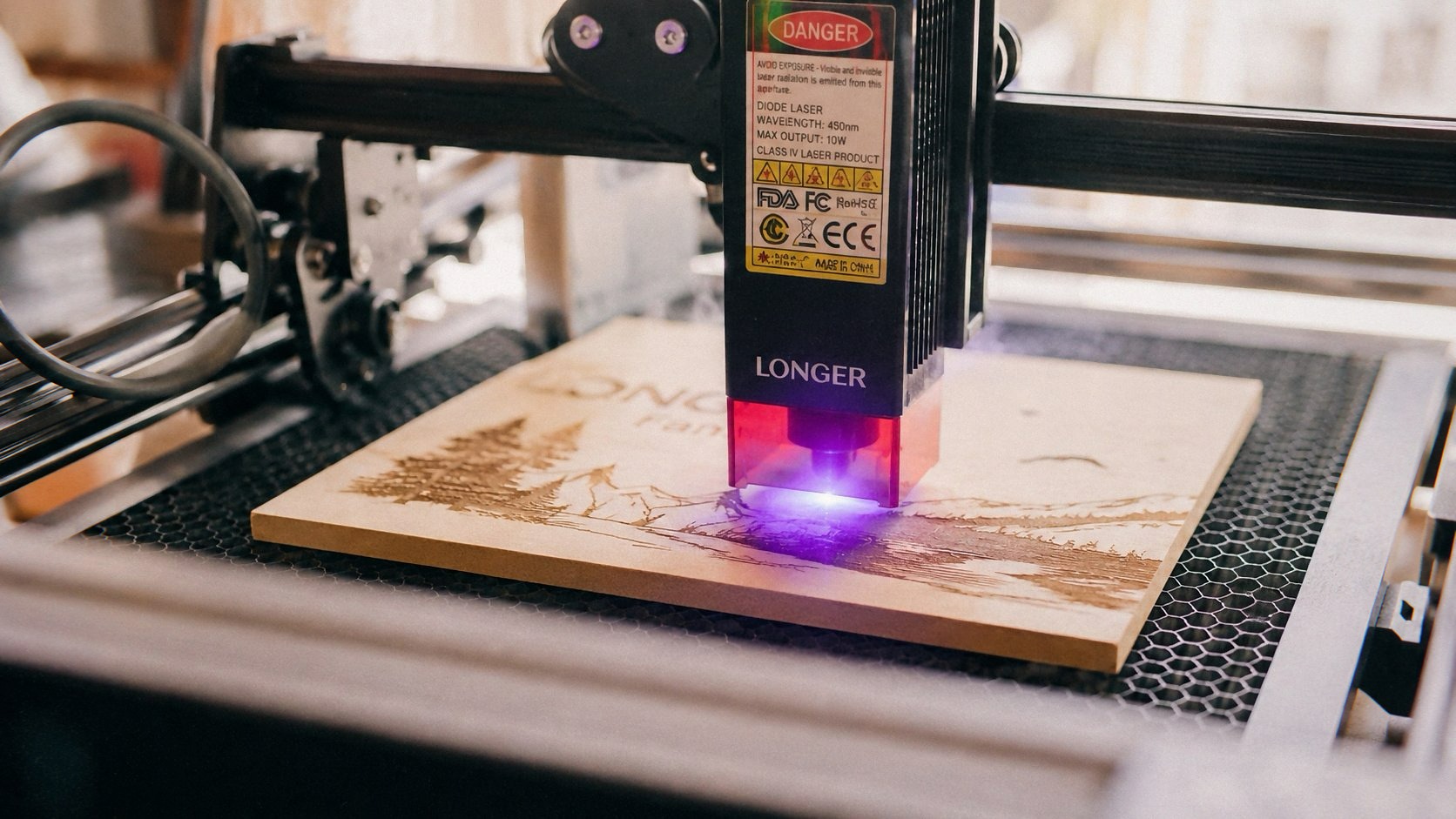
The engraving quality on wood is genuinely good. The 0.01mm precision claim sounds like marketing fluff, but when I engraved a detailed portrait of my dog onto a piece of oak, the fur detail came through crisply. There’s some minor charring on the edges of deep cuts, but that’s true of any diode laser at this price point. If you want zero charring, you need a CO2 laser, and those start at ten times the price.
Leather is where this machine really shines. I made a few custom wallets and belts for friends (they think I’m a craft genius; I’m just a guy with a laser). The Artilume handles vegetable-tanned leather beautifully. You get clean, dark engravings with minimal burn smell, and the depth control is consistent across the entire work area. Just make sure you’re working in a well-ventilated space because laser-burned leather smells like a barbecue accident.
Acrylic is a mixed bag. The machine can engrave it, and the results are decent, but you need to be careful with the power settings. Too hot and you’ll get melting and clouding around the edges. I found that 30-40% power at a slower speed gives the best results for acrylic engraving. Cutting acrylic requires multiple passes and honestly isn’t worth the effort on this machine. Stick to engraving it and you’ll be fine.
The APP Control: Surprisingly Not Terrible
I’m going to be honest — I hate smartphone-controlled tools. Every time a manufacturer brags about APP control, I brace myself for a clunky interface, constant connection drops, and a mandatory account creation that requires my blood type and firstborn child’s name. The Artilume APP is… actually usable.
The setup process is painless. You connect your phone to the machine’s built-in WiFi hotspot, open the app, and you’re in control. No account required, no firmware update gauntlet, no bullshit. The app lets you adjust power, speed, and the number of passes directly from your phone, which is genuinely handy when you’re fine-tuning a design without having to run back to your computer.
The built-in camera preview is a nice touch at this price point. It lets you see exactly where your design will land on the material before you hit start. Is it as good as the dual-camera setup on the xTool M2 10W Laser Engraver? No, not even close. The Artilume’s preview is more of a rough positional guide than a pixel-perfect overlay. But for $269, I’ll take rough positioning over nothing.
The file import process is where things get a little frustrating. The APP supports PNG, JPG, and SVG files, which covers most use cases. But if you’re working with complex vector files or need precise control over layer settings, you’ll want to use the desktop software instead. The desktop version is LightBurn-compatible, which is the gold standard for laser engraving software. That’s a huge win for anyone who’s already invested time learning LightBurn.
The Cover and Riser: Safety Stuff That Actually Matters See Today’s Deal on Amazon
I’m not going to lecture you about laser safety, but I will say this: an unprotected 12W laser can absolutely mess up your eyesight. The Artilume comes with a protective cover and a riser, which is something you don’t always get at this price point.
The cover is a clear acrylic shield that snaps onto the frame. It doesn’t completely enclose the machine — there are gaps at the edges where the foldable design requires them — but it blocks the direct line of sight to the laser beam. That’s the part that matters. The included safety glasses are decent quality, not the cheap plastic ones that come with some machines. I still recommend upgrading to a proper pair of laser safety glasses with the right OD rating for the wavelength, but the included ones will work in a pinch.
The riser is a separate piece that sits under the machine to elevate it. It’s useful for engraving taller objects like glasses, mugs, or thicker pieces of wood. The riser adds about 8cm of clearance, which is enough for most standard mugs and drinking glasses. The setup is a bit fiddly — you have to unscrew the foldable legs and attach the riser — but it only takes a few minutes and it’s a feature you won’t find on most machines in this price range.
Real World Performance: The Good, The Bad, The Ugly
Let me give you a real scenario. Last week, a friend asked me to engrave a custom design on a wooden cutting board for her mom’s birthday. The board was a standard 12x18 inch maple cutting board, way bigger than the Artilume’s 200x150mm work area.
I had to do the engraving in quadrants. Four separate setups, four separate alignments, and a lot of praying that the design would line up correctly. It took me about 45 minutes of setup and adjustment time to get the alignment right. The first attempt was slightly off — the design wasn’t centered, and I had to sand down the board and start over. The second attempt came out perfectly, and my friend’s mom cried when she saw it. Worth it.
That’s the reality of a portable machine with a small work area. It’s not a production tool. It’s a versatile, accessible tool that lets you do quality work if you’re willing to put in the effort. For someone who’s just starting out or working on small projects, that’s not a compromise. It’s the point.
The noise level is acceptable. It’s not silent — no laser engraver is — but it’s quieter than my BlazeX. The cooling fan kicks in during longer sessions and adds a low hum, but it’s not the kind of noise that’ll drive your roommates crazy.
What I Don’t Like: Being Honest
The short USB cable is annoying. I had to buy a longer one because the included cable barely reaches from my desk to the machine’s port. That’s a minor expense, but it’s the kind of thing that makes you wonder what else they skimped on.
The foldable hinges do loosen up slightly over time. After about three weeks of daily folding and unfolding, I noticed a tiny bit of play in the left hinge. It’s not enough to affect engraving quality, but it’s there. I added a drop of threadlocker to the hinge screw and it’s been fine since.
The APP’s connection can be finicky. It drops occasionally, especially if you’re running other apps or your phone’s WiFi isn’t cooperating. The workaround is to use the desktop software with LightBurn, which I end up doing most of the time anyway. The APP is a convenience feature, not a replacement for proper software.
The included materials — a small sheet of wood and a piece of leather — are basically useless. The wood is too thin to engrave properly, and the leather is too small to do anything meaningful. It’s a nice thought, but it’s the kind of freebie that exists to make you feel like you got more than you paid for.
Comparing It to the Competition
At $269, the Artilume T1-P sits in an interesting spot. It’s cheaper than the BlazeX M3, which typically runs around $350-400, but it’s also less powerful (12W vs 10W — wait, that doesn’t make sense). Let me clarify: the BlazeX M3 is a 10W machine, and the Artilume is a 12W machine. On paper, the Artilume should be more powerful, but in practice, the BlazeX’s more efficient diode and better cooling system means it cuts comparable materials at similar speeds. The difference is negligible in real-world use.
The xTool M2 is a different beast entirely. It’s a fully enclosed machine with dual cameras and a proper Class 1 safety rating, which means you don’t need to wear safety glasses. But it costs significantly more, often around $600-700. If you’re a serious hobbyist who wants a permanent setup with the best safety features, the xTool is worth the premium. If you’re working with a budget and want a machine you can tuck away when you’re done, the Artilume makes more sense.
The Artilume’s real competition is the various Chinese laser engravers flooding Amazon at the $200-300 price point. Most of those are garbage — flimsy frames, weak lasers, software that crashes constantly. The Artilume stands out because it doesn’t cut corners on the things that matter: the frame is solid, the laser is genuinely powerful, and the software compatibility with LightBurn is a huge deal.
Who Should Buy This? See Today’s Deal on Amazon
You should buy the Artilume T1-P if you’re a beginner or intermediate hobbyist who wants to experiment with laser engraving without dropping a paycheck on a machine. If you’re making keychains, coasters, small signs, leather goods, or personalized gifts, this machine will handle all of it.
You should not buy this if you’re planning to start a production business or engrave large items regularly. The small work area will drive you insane, and the foldable design means you’re making a compromise between portability and rigidity that doesn’t make sense for heavy daily use.
If you’re looking for something with a bigger work area and don’t mind a permanent setup, the BlazeX M3 10W Laser Engraver Machine is a better choice. If you want the absolute best beginner experience with built-in cameras and a fully enclosed design, the xTool M2 10W Laser Engraver is worth the extra money.
If you pick one up through the links here, I might get a small cut — doesn’t cost you extra and it helps keep the lights on.
Final Verdict
The Artilume T1-P is not a perfect machine. The APP connectivity is occasionally frustrating, the USB cable is too short, and the work area is limiting if you want to scale up. But for $269, it delivers more than I expected. The foldable design actually works, the laser power is legitimate, and the engraving quality rivals machines that cost twice as much.
I’ve used it almost every day for a month. I’ve made gifts, custom pieces for friends, and a few things I’ve actually sold online. It hasn’t broken, the engraving quality hasn’t degraded, and I still look forward to using it. That’s more than I can say for most tools in this price range.
If you’ve been on the fence about getting into laser engraving, this is the machine that makes the jump worth it. Just buy a longer USB cable.