The night I finally snapped, my diode laser was forty minutes into “cutting” a sheet of 3mm black acrylic and had produced something that looked like a melted taco. Charred edges. A middle that refused to separate. Smoke smell soaked into the curtains of my garage so deep my wife asked if I’d taken up cigars. I unplugged the thing mid-job, walked inside, and sat on the couch next to a cup of coffee that had gone cold an hour earlier, and I just stared at the wall for a while.
That was March. This is August. There’s a 100-plus-pound grey box in my garage now that cuts that same acrylic in one pass like it’s slicing warm butter, and I’m still a little mad about how long I waited.
What I actually bought
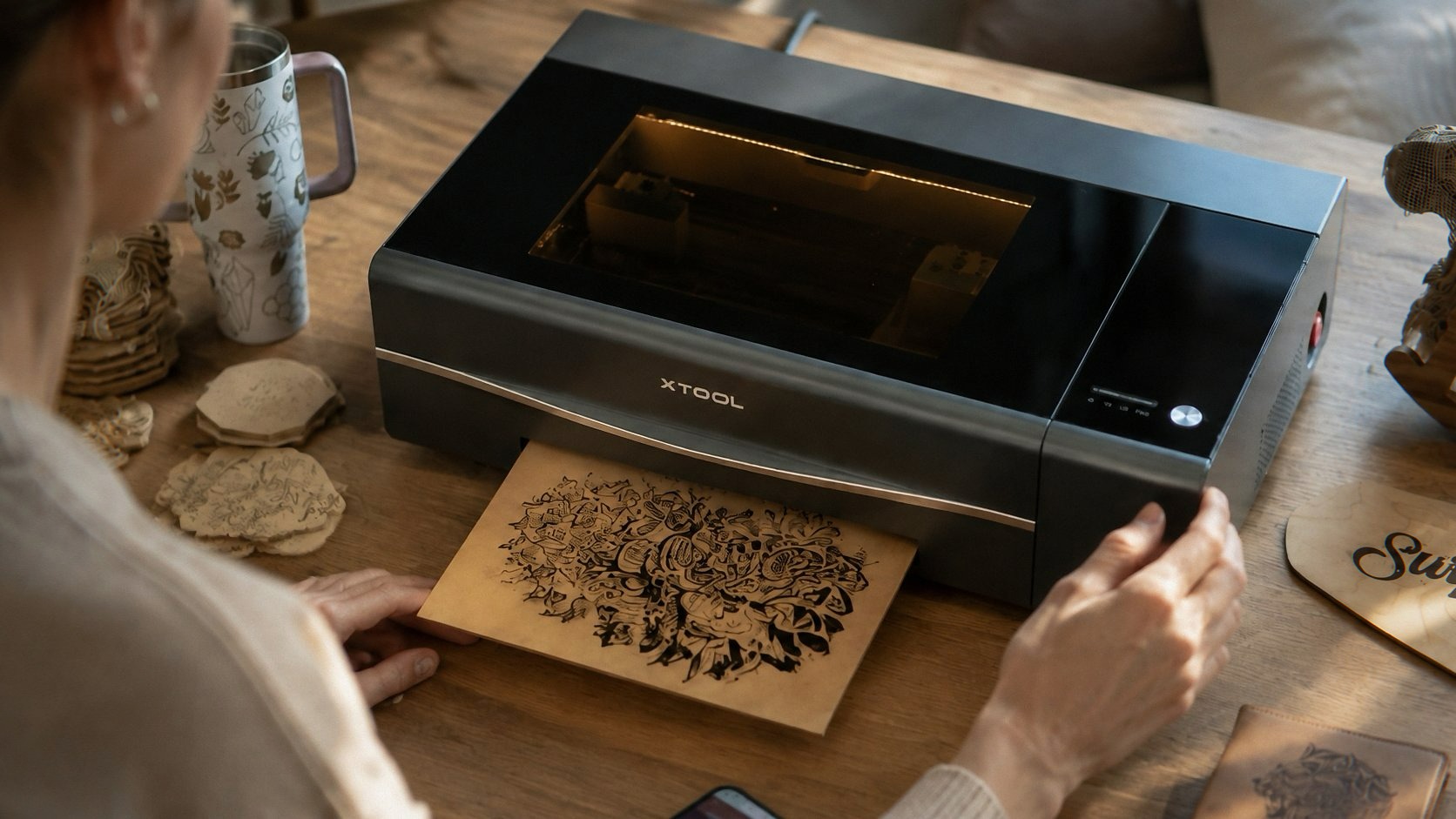
The xTool P2S 55W CO2 Laser Cutter. List price is $4,499, and it seems to live on some permanent sale around $3,399, which is still an amount of money I said out loud to my cat before clicking buy. The cat was unimpressed. The cat is unimpressed by most things, including me.
I came into this with low expectations and a grudge. My laser journey has been a staircase of disappointment: a LaserPecker LP2 that’s lovely for engraving coasters at a farmer’s market and useless for anything thicker than a cinnamon stick, then an AlgoLaser 10W, then the 40W diode I wrote about in my Longer Ray5 review, which is a genuinely good machine and also the one that made the taco. Every step up, I told myself this was enough power. Every step up, I was wrong.
CO2 is a different species. Everyone tells you this. You nod and don’t get it until you get it.
The unboxing, or, the part where I aged a year
Let me tell you about the packaging, because nobody warns you. The P2S arrives in a box the size of a dorm refrigerator, strapped to a pallet, and the courier’s dolly had a squeaky left wheel that I can still hear in my dreams. The box says team lift. The box means it. I am one person with a bad knee and an inflated sense of my own upper body strength, so I did what any reasonable adult would do: I unboxed it on the driveway, in front of God and my neighbor Doug, and carried the machine inside in pieces of my own dignity.
Foam everywhere. That clingy plastic film on the glass lid that you think you’ve peeled off completely and then a week later you find one more strip hiding under the hinge, which sent me into a brief spiral about what else I’d missed. The whole extraction took ninety minutes and produced a knee-high pile of cardboard that sat in my garage for three weeks because breaking down boxes is a task I apparently refuse to do on principle.
Once it’s out, though, setup is suspiciously painless. Fill the built-in water cooling reservoir through a little port under a rubber flap (distilled water, they include the funnel, bless them), plug in the exhaust, connect to WiFi, done. No assembling a gantry. No squaring a frame with a hex key and quiet resentment. Coming from diode lasers where “assembly” is half the hobby, this felt almost rude.
55 watts is a personality trait
First real job: the same 3mm black acrylic that broke me in March. The P2S went through it at a speed that made me lean over the lid and laugh, alone, in my garage, like a maniac. One pass. Clean edges. No char, no melt, no taco.
The numbers, for people who like numbers: it’ll cut 18mm basswood and 20mm clear acrylic in a single pass. Clear acrylic. If you’ve only ever owned diode lasers, you may not know that clear acrylic is basically invisible to a diode beam — the light passes straight through and does nothing except mock you. I once spent a whole Saturday proving this to myself with the stubbornness of a man who refuses to read forums. CO2 doesn’t care what color your acrylic is. It just cuts it.
Engraving speed tops out at 600mm/s, which matters more for my sanity than my output, because I run a small Etsy side thing and batch jobs that used to eat an entire evening now finish before my tea does. I made forty walnut keychains with dog names on them last Tuesday. Forty. The dog-name keychain industrial complex is thriving and I am its reluctant king.
The cameras earned their keep on day one
The dual 16MP cameras sounded like spec-sheet decoration to me. One panoramic camera for the whole 23.6” x 12” bed, one close-range camera for detail work. Fine. Whatever.
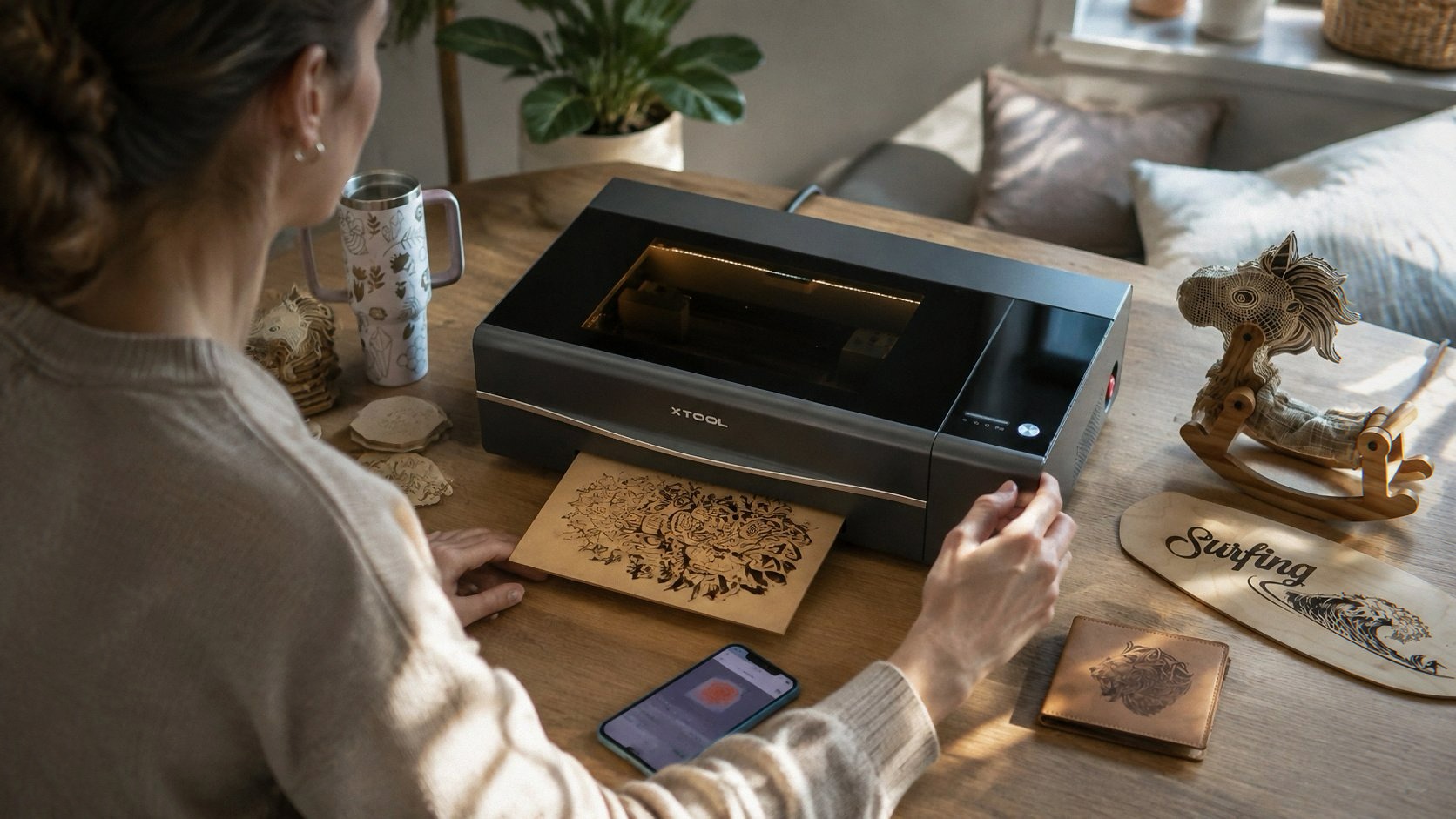
Then I tried to engrave a $30 leather wallet blank, a thing with exactly one correct position and zero room for error, and I watched the close-range camera show me the actual surface of the wallet in the software, dragged my design onto it like a sticker, and hit go. It landed exactly where I put it. Exactly. I stood there waiting for the catch. There was no catch.
Here’s the owner detail nobody puts in reviews: the camera preview takes a beat to refresh after you close the lid — a few seconds of a low-res blurry frame before the sharp one loads — and for the first week I kept thinking it was broken. It’s not broken. It’s just thinking. Also the whole placement flow depends on the material surface being reasonably matte; point it at bare polished brass and the preview glare turns into a little white sun and you’ll be nudging by trial and error like it’s 2019. Masking tape fixes it. Masking tape fixes most things.
Working area, by the way: 23.6” x 12” usable, 26” x 14” if you count what physically fits on the bed. After years of diode frames where I’d tile a design across three moves of the material and pray the seams aligned, having a bed this size feels like moving from a studio apartment to a house with a hallway. I keep making things bigger just because I can. Nobody needs a two-foot-wide lasered map of their neighborhood. I have one now.
Curved stuff, cylinder stuff
The 3D Curve engraving feature builds a little depth model of a curved surface and adjusts focus across it. I tested it on a wooden spoon, because it was the closest curved object, and then on a wine glass, because a spoon wasn’t impressive enough for the group chat. Both worked. The spoon now says SOUP POLICE, which tells you everything about the maturity level in this house.
With the RA2 Pro rotary attachment (sold separately, of course it’s sold separately), it does proper curved cylinder engraving — tumblers, mugs, rolling pins. I did a stainless tumbler with a wraparound topo-map pattern for Doug, partly as a thank-you for witnessing my driveway shame, partly to show off. The wraparound seam is invisible. I ran my thumb across it looking for the join and couldn’t find it, which annoyed me in a way I can’t fully explain.
I did all of this on the kitchen table, by the way — the design part, not the burning part — with the laptop next to a bowl of grapes I kept meaning to eat, while the machine hummed out in the garage. The camera feed means you don’t have to stand over it. You can sit inside like a person.
The exhaust situation, honestly
The P2S has a 14,000 RPM brushless exhaust fan and xTool claims double the airflow of the old P2. I can’t verify their wind-speed numbers, I can only report that my garage no longer smells like a bonfire’s armpit after a cutting session, and the smoke gets pulled out fast enough that the beam doesn’t haze up on longer cuts.
The catch is the same catch every CO2 owner lives with: that air has to go somewhere. I vent out the garage window through a duct that looks, from outside, like the house is wearing a dryer vent as a party hat. Doug asked about it. I told him it’s fine, it’s a laser. He nodded slowly. If you can’t vent outside, they sell a smoke purifier — also separately, always separately — and from what the owner groups say, it works but the replacement filters are a subscription to a bill you’ll forget you signed up for.
One more sensory thing, because it charmed me: when a job ends, the exhaust fan doesn’t stop immediately. It winds down over a couple of minutes, this slow descending whir, like the machine is catching its breath. First few times I sat there waiting for it, not sure if it was done. Now it’s my favorite sound in the house. It means the part is ready and nothing is on fire.
The lid lock, the cat, and other safety notes
The lid automatically locks while the machine is running. There’s a solid solenoid thunk when it engages — a deep, mechanical, bank-vault kind of thunk, and the rubber feet on this thing are these dense little pucks that keep it from walking even when the gantry is sprinting at full speed, and the thunk plus the weight means the whole machine just sits there, planted, doing its job. My cat, the same unimpressed one, has made exactly one attempt to sit on the glass lid during a cut. The lid lock didn’t care. The laser didn’t care. The cat has since filed a formal complaint by knocking a pen off my desk.
If you have kids, or pets, or a Doug who likes to touch things, the auto-lock matters. A 55W CO2 beam does not forgive curiosity.
Software, or the section where I complain a little
xTool Creative Space — XCS — is fine. Genuinely fine, which for laser software is high praise, because the bar is underground. The camera integration is the star, the material presets are sane, and the new batch Smart Fill thing let me engrave twenty dog tags with twenty different names from one spreadsheet instead of twenty separate jobs, which gave me back a Sunday.
The complaints: it has, twice in three months, simply forgotten the machine existed. Both times a reboot of the software fixed it, both times I lost five minutes to swearing. The macro keyboard shortcuts I wanted don’t exist. And the processing-time estimate on long engraves is a work of optimistic fiction — divide your trust in it by two and you’ll land close. Minor stuff. Annoying like a pebble, not like a brick.
The downsides, because I like you
It’s big. Not “desktop” big — “we cleared a workbench and reinforced our resolve” big. Check your space twice and the doorway once.
It’s heavy. See: driveway, dignity, Doug.
The price ladder doesn’t stop at the machine. The conveyor feeder for the AutoPassthrough (which is genuinely cool — it feeds material through automatically for pieces up to 118 inches long) costs extra. The rotary costs extra. The riser base for taller objects costs extra. The purifier costs extra. Budget for the ecosystem or accept the base machine as-is, which is honestly already a lot of machine.
And the glass lid shows every fingerprint and every speck of garage dust, so if you’re the kind of person who needs your tools to look showroom-clean, you’ll be wiping it down constantly or, like me, learning to live with the smudges and calling it patina.
If you grab one through the links here, I might get a small cut — costs you nothing extra and keeps the lights on.
Who this is actually for
If you’re engraving the occasional coaster or cutting thin craft plywood on weekends, do not spend this money. Get a [TwoTrees TTS-20 Pro] or a Creality Falcon 10W and be happy with a smaller bed and slower cuts — those machines are good at what they do, I said so when I reviewed them. If you want something you can carry to a market in one hand, the LaserPecker 4 exists and I liked it.
But if you’ve hit the diode ceiling — if you’re cutting production batches, if acrylic is your main material, if you’ve ever tiled a design across three passes and cried at the seams — the xTool P2S is the machine I should have skipped the staircase for. I say that as someone who paid for every stair. The staircase cost more.
Three months in. One warped spoon (my fault, wrong speed), zero failed acrylic cuts, one cat with an attitude problem, one neighbor who thinks I’m running something illegal out of my garage.
The tea’s gone cold again. The grapes, at least, are done.