My old engraver died mid-project last Tuesday. Not a graceful death either. Just a grinding noise, a puff of vaguely burnt-smelling air, and then nothing. I was halfway through a batch of custom coasters for a friend’s wedding—the kind of project where you’ve already promised people things and now you’re staring at a $400 paperweight and a deadline.
So I did what any rational person does. I panic-ordered the Algolaser 10W Laser Engraver Machine at 11 PM with same-day shipping, because apparently my ability to make good decisions evaporates after 10. Two days later, a box the size of a small coffee table showed up on my porch, and I started wrestling with it in my kitchen while my cat judged me from the counter.
First Impressions: The Unboxing Ordeal
The box weighs 14.3 pounds. That’s not heavy, but it’s awkward. It’s like carrying a large pizza that’s full of metal and regret. I cut through the tape, pulled out the foam, and immediately felt that familiar mix of excitement and dread that comes with any Chinese-manufactured tool that costs under $400.
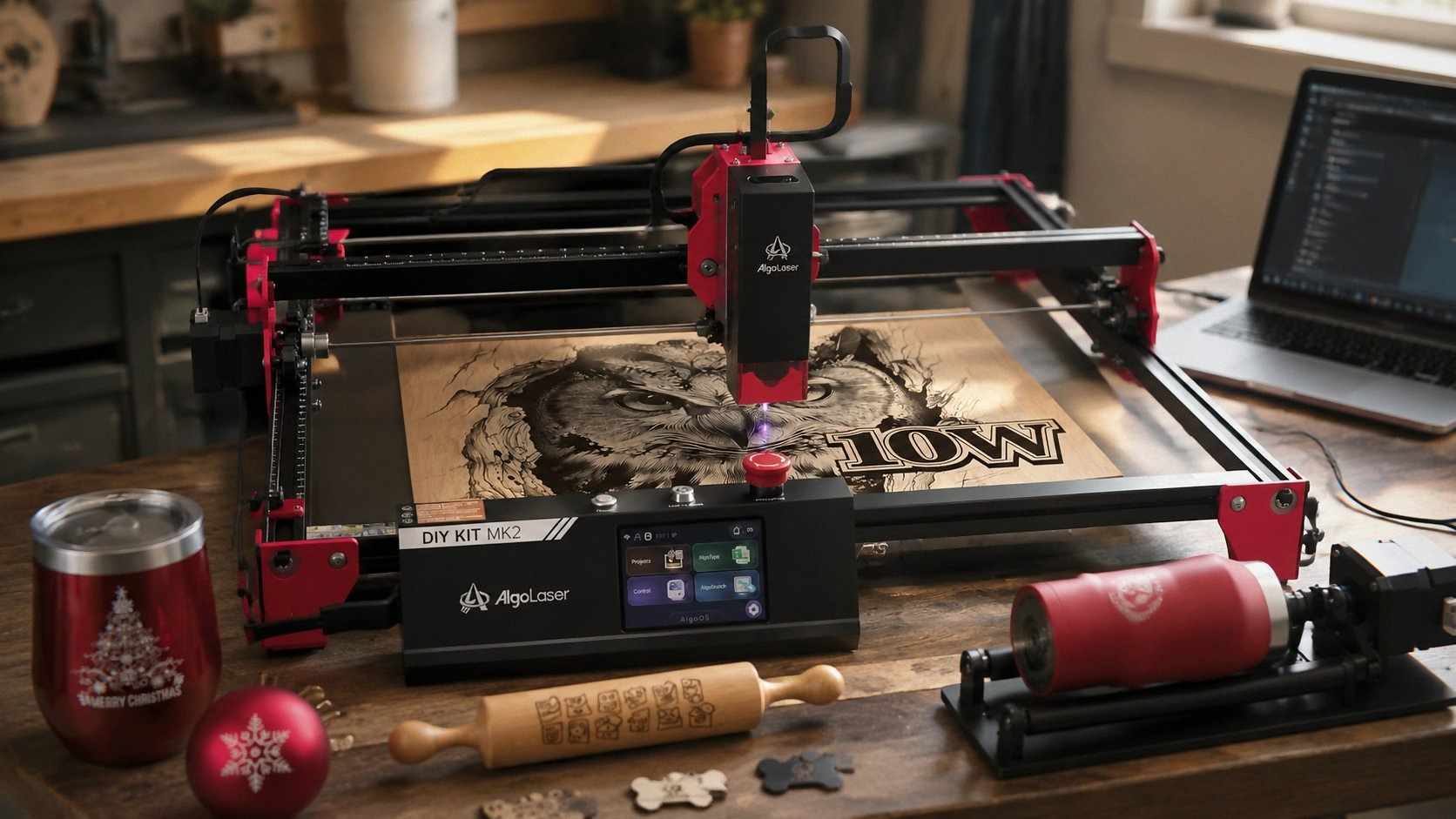
The 3.5” smart touchscreen is right on top. It’s the first thing you see. And honestly, it’s the best part of the whole experience. It boots up fast, the interface doesn’t look like it was designed by a robot having a seizure, and you can actually preview your engraving without hooking up to a computer. That’s huge if you’re like me and your laptop is perpetually at 8% battery and missing three keys.
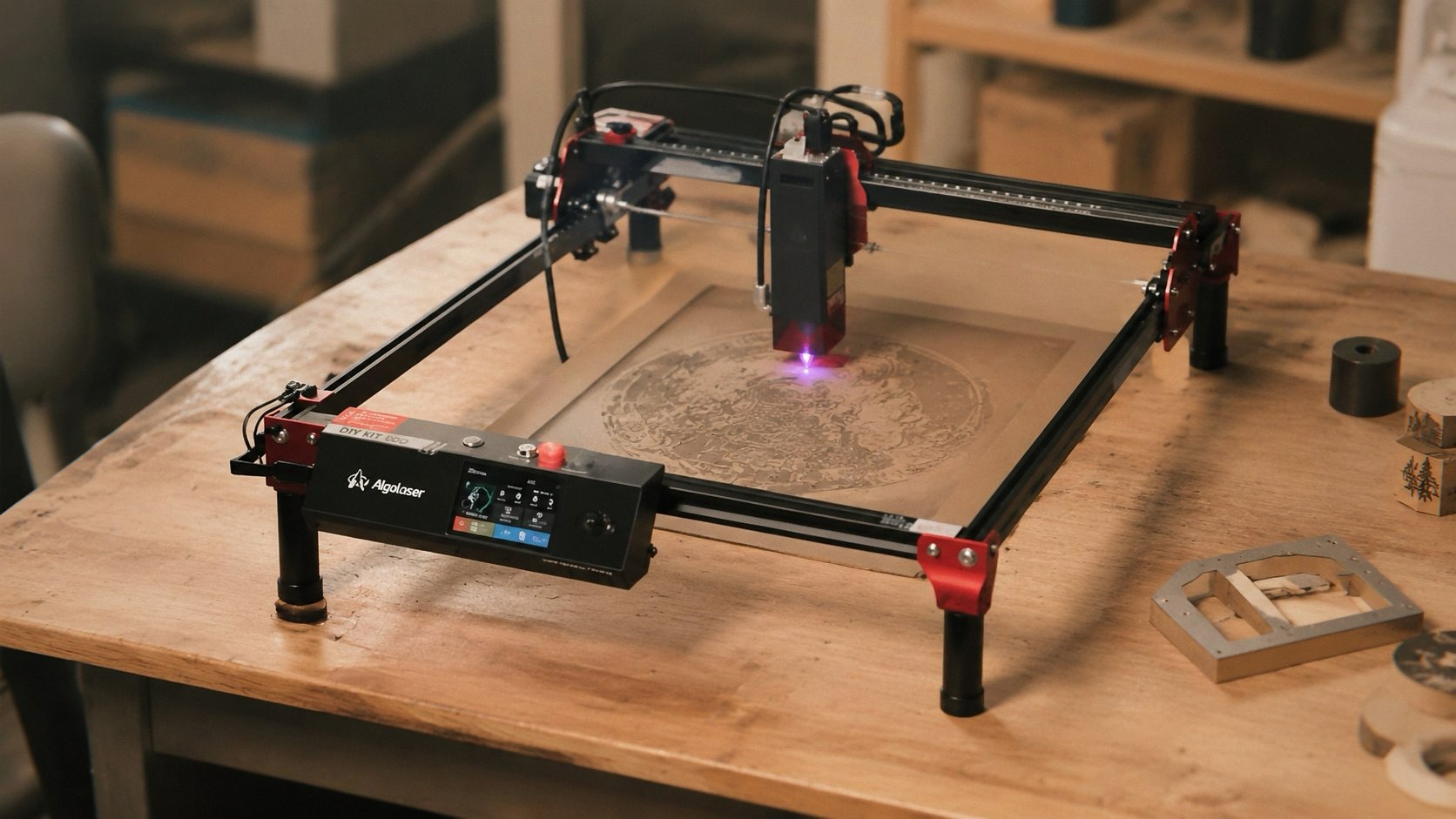
But then you start pulling out the rest of it, and you notice things. The feet are plastic. The video on the product page shows nice anodized aluminum ones. These are definitely plastic. Not necessarily a dealbreaker—they feel sturdy enough—but it’s one of those little things that makes you go “hmm” before you’ve even plugged anything in.
The split loom cable management is… well, it’s something. If you’ve used a laser engraver before, you know cable management is half the battle. The Algolaser uses this cheap split plastic tubing that’s supposed to keep things tidy. Instead, it’s kinky, noisy, and makes a racket when the machine travels. The fancy clip from the install video? Gone. The woven cable sleeving? Also gone. It’s just split loom that snags on everything and sounds like a bag of potato chips being crushed every time the gantry moves.
I spent the first hour just trying to route the wires so they wouldn’t catch on the rails. The manual says setup takes 15 minutes. That’s a lie. It’s a fun lie, but a lie nonetheless.
The Touchscreen Saves It
I’m not going to bury the lead here. The AlgoOS system on the touchscreen is actually good. Like, unexpectedly good. I’ve used LaserGRBL and LightBurn extensively—if you’re getting into laser engraving, LightBurn is basically the gold standard and worth learning—but being able to just drag a PNG onto the screen, position it, and hit start without booting up a laptop is a luxury I didn’t know I needed.
You can engrave directly from the screen. Upload files via WiFi, USB, TF card, or the app. The WiFi setup actually worked—I was shocked. Usually these budget machines have WiFi that requires a blood sacrifice and praying to the networking gods. This one just… worked. It even tells you your IP address on screen so LightBurn connects without the usual DNS headache.
The interface is intuitive enough that I handed it to my girlfriend who’s never touched a laser engraver, and she had a test engraving running in about four minutes. Four minutes. That’s faster than I can find my LightBurn license key.
The Rotary Roller and Riser: Actually Useful
The rotary roller is the main reason I chose this over the Creality Falcon 10W. It’s not an add-on you have to buy separately—it comes in the box. You can engrave tumblers, mugs, wine bottles, whatever cylindrical thing you want to ruin with your terrible design choices.
The riser base lifts the machine up so you can fit taller objects underneath. It’s not the most elegant solution—it’s basically two metal plates with some standoffs—but it works. I engraved a Yeti tumbler on my first try. It took about 25 minutes for a decent design, and the rotation was smooth. No slipping, no weird wobble. The rotary roller grips the tumbler with two rubber wheels, and the motor turns it at a consistent speed while the laser does its thing.
I will say this: if you’re planning to do a lot of cylindrical engraving, the rotary roller is a game-changer and this one is as good as any I’ve used. It’s not quite as refined as the Ortur roller, but it’s also not an extra $100.
My neighbor saw me testing it and immediately asked if I could do custom whiskey glasses for his poker night. I said sure, because apparently I’m now a small business owner and also an idiot. Three glasses later, I had a $60 order. So there’s that.
The Laser Itself: 10W of Questionable Quality
Let’s talk about the laser module. It’s rated at 10000mW (10W), with a spot size of 0.05 x 0.1mm. That’s small. In theory, that means fine detail. In practice, it means you can do some pretty decent photo engravings if everything is aligned correctly.
The speed goes up to 12000mm/min. I’ve pushed it to around 8000mm/min on wood without issues. At full speed, the quality drops off noticeably—you get banding, uneven burn, the kind of artifacts that make you want to throw the whole machine out the window. But at reasonable speeds, the output is clean. Sharp lines. Good contrast.
Here’s the thing that nobody tells you about laser engraving wood in your house: the smell. It’s not just a little smoky. It’s the kind of smell that makes your entire apartment smell like a campfire, and it lingers for hours. The Algolaser has a Class 1 safety enclosure, which is great for your eyes—fully enclosed so you’re not staring into the beam—but it does nothing for the smoke. You need ventilation. I bought an inline fan and some ducting from Home Depot, and now I have an exhaust tube running out my window like some kind of mad scientist. My neighbors probably think I’m cooking meth. I’m just making custom signs.
The safety features are legit, though. Emergency stop, flame detection, motion protection—the whole package. The motion protection is actually a nice touch. If the machine detects any unexpected movement or vibration, it stops the laser. I accidentally bumped the desk while it was running, and it killed the beam instantly. Scared the hell out of me, but better that than a fire.
The Software Situation Algolaser 10W Laser Engraver Machine
You have options. WiFi, USB cable, TF card, the AlgoOS app. The app is surprisingly functional—you can control the machine, upload files, even preview the engraving position. It’s not LightBurn, obviously, but if you just want to do simple projects from your phone, it works.
LightBurn compatibility is the real selling point here. If you’re serious about laser engraving, you need LightBurn. Period. The Algolaser supports it natively, and the setup is painless. Create a GRBL profile, enter the IP address, and you’re off. No drivers to install, no weird COM port issues.
One thing I noticed: the machine has a 400mm x 400mm working area according to some reviews, but the actual engraving area is more like 390mm x 390mm. It’s a small difference, but if you’re trying to max out the space, you’ll hit the limits. Set your LightBurn device settings correctly and you’ll be fine.
The One Thing That Drives Me Crazy
The cable management. I’m going to harp on this because it’s genuinely annoying. The split loom tubing is noisy. It’s the kind of noise that makes you flinch every time the gantry moves. It’s not just the noise, either. The tubing gets kinked, and when it’s cold, it’s stiff and catches on the corners of the chassis.
One of the Amazon reviewers mentioned upgrading to a drag chain. I did the same thing—bought a $15 cable chain kit on Amazon and installed it in about an hour. Huge improvement. The machine is quieter, smoother, and I’m not constantly worried about cables snagging mid-engraving. Should I have to do this on a $380 machine? Probably not. But at least it’s an easy fix.
The Bad: What Nobody Tells You
Here’s the brutally honest part. Some units have quality control issues. I got lucky—mine works fine. But I’ve seen enough reviews to know that not everyone is so fortunate.
One reviewer mentioned their lens fogged up on the inside after three photo engravings. Another had the machine crash repeatedly when trying to home the laser. A couple of people returned theirs after multiple failures. The photo engraving quality doesn’t match the advertised spot size—something about the dot being rectangular instead of compressed square. I’ve noticed this too. Photos come out a little grainy compared to what I can get on a higher-end machine.
The build quality is okay but not great. It’s functional. It’s not the Ortur LM3. It’s not going to feel premium in your hands. The plastic feet, the cheap cables, the thin metal panels—it all adds up to a machine that feels like it’s priced right but not a steal.
If you’re a beginner, it’s fine. Actually, it’s more than fine—it’s a solid way to get into the hobby without spending $800. But if you’re coming from a nicer machine, you’ll notice the difference immediately.
What I Actually Made With It
In the two weeks I’ve owned this thing, I’ve made:
- Custom coasters for that wedding (they loved them, thank god)
- A laser-cut wooden sign for my kitchen that says “CAFFEINE & CHAOS” in a font that took me 20 minutes to pick
- Three engraved Yeti tumblers
- A set of leather keychains that I still haven’t figured out how to sell
- About 15 test pieces that are now scattered around my workshop like archaeological evidence of my learning curve
The 10W laser can cut through 3mm plywood in one pass. Not cleanly at full speed, but with two passes at moderate speed, it cuts like butter. Acrylic is similar—works great with the right settings. Glass engraving is doable but requires masking tape and a lot of testing.
The working area is 400mm x 400mm, which is generous for a desktop machine. You can fit a lot of coasters on one board.
Who Should Buy This Thing
You, if you’re a beginner who wants something that works out of the box with minimal fuss. The touchscreen makes it accessible. The rotary roller opens up your creative possibilities. And the LightBurn compatibility means you can grow into it.
You should probably avoid this if you’re a professional engraver looking for industrial-grade quality. Or if you have zero patience for cable management. Or if you’re using this in a small apartment without ventilation—seriously, the smoke smell is no joke.
My cat still refuses to be in the same room when it’s running. That’s not a feature. It’s just a fact.
If you grab one through the links here, I might get a small cut — costs you nothing extra and keeps the lights on. Or don’t. I’m not your mom.
Algolaser 10W Laser Engraver Machine
Final Thought That Wasn’t Supposed to Be Final
The Algolaser 10W is exactly what it looks like. A budget machine with some genuinely smart features and some genuinely annoying corners cut. The touchscreen is great. The rotary roller is useful. The cable management is garbage but fixable. The laser itself is fine for wood, leather, and coated metal.
Would I buy it again? For $379, yeah, probably. I’d still buy the drag chain upgrade. I’d still set up the ventilation before the first test fire. And I’d still be more comfortable with a slightly more expensive Ortur or Creality if I had the budget.
But this was the machine available right now, and it’s doing the job. Three weeks in, no crashes, one smudge I need to clean off the lens, and a growing pile of custom orders from people who don’t know I’m still figuring it out.
Anyway, I’m going to go fix some cables and engrave another tumbler. The cat’s watching me from the living room. She seems skeptical about the whole operation.