My neighbor’s a woodworker. The kind with a shop that smells like sawdust and ambition, who makes custom cutting boards for farmer’s markets and scoffs at my “little laser toy.” So when he asked me to cut 15mm walnut plaques for his new product line, I nearly choked on my coffee.
My 10W engraver would take six passes, maybe seven, with a burn pattern that looked like I’d done it with a magnifying glass and spite. I needed more power. I needed the kind of machine that makes other tools feel inadequate.
Enter the Longer RAY5 40W laser engraver. A 16.87-pound beast that showed up on my porch in a box the size of a small suitcase, and within 24 hours, I was cutting wood like it was soft cheese. The cat hid under the sofa. The neighbor stopped scoffing.
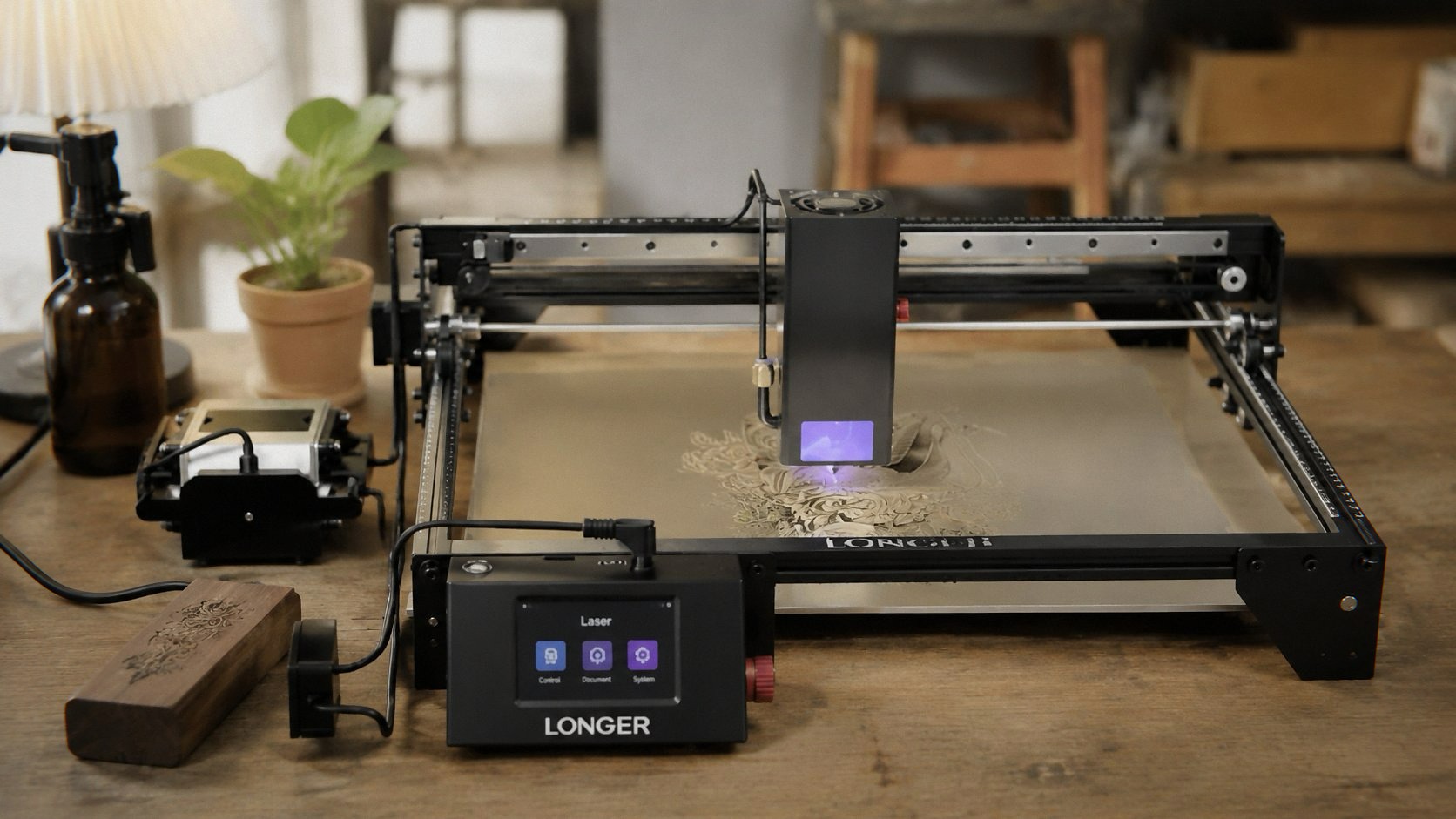
The Unboxing: This Thing Has Presence
You know how some machines feel cheap the moment you lift them? The RAY5 40W doesn’t have that problem. It’s solid. The aluminum extrusions are thick, the gantry moves smoothly, and the whole thing feels like it was engineered by people who expect you to actually use it.
Assembly was straightforward, though “assembly” is a generous word. It’s mostly screwing the legs on, attaching the Z-axis, and plugging cables in. The manual is clear enough, but honestly, if you’ve put together any IKEA furniture in the last decade, you’ll be fine. I had it up and running in about 30 minutes, including the time I spent just staring at the laser module like it might bite me.
The air assist pump is included. That’s worth noting. With my previous machine, I had to buy one separately and rig up some janky tubing system that leaked air and made my workshop sound like a dying accordion. The RAY5 comes with a proper pump, controlled directly through LightBurn software. You can adjust the airflow on the fly, which makes a noticeable difference in cut quality—cleaner edges, less charring, fewer smoke stains on your workpiece. It’s one of those features that seems minor until you realize you’ve been living without it like a caveman.
The 3.5” color touchscreen sits prominently on the front, and it’s a nice upgrade from the monochrome screens on older models. You can control the laser without a computer, which is handy if your laptop is three rooms away or dead. I’ve used the screen for quick test engravings and it works fine—responsive, clear, and not glitchy. It’s not the fancy AlgoOS on the [Algolaser 10W], but it gets the job done.
The Power: 40W Is Not a Joke Longer RAY5 40W on Amazon
Let’s talk about the headline feature. 40W optical output. Not 10W. Not 20W. Forty.
I cut through 15mm walnut in one pass. One pass. The laser didn’t even break a sweat. It was like the wood wasn’t even there. My jaw dropped. I did it again just to make sure I wasn’t dreaming. Then I cut through 20mm pine, which the specs say is the max for a single pass. It went through like butter. Clean edges, minimal charring, no need for a second pass.
The specs claim it can cut 30mm black acrylic in one pass. I don’t have any 30mm acrylic lying around because I’m not a madman, but I tested it on 10mm clear acrylic and it went through cleanly with a nice polished edge. No cracking, no melting, no melted plastic smell that lingers for three days. Just clean cuts.
And here’s the part that made me actually laugh out loud: it can cut 0.15mm stainless steel. I had to try this. I grabbed a scrap piece from the kitchen—I think it was from an old stove vent hood—and set up a small test cut. It worked. It actually worked. The cut was precise, if slow, but it’s stainless steel. On a laser engraver that costs under $700. That’s absurd.
If you’re coming from a 10W machine, this is a completely different category of tool. The difference isn’t incremental. It’s like upgrading from a bicycle to a motorcycle. Everything is faster, deeper, more capable.
Speed and Precision
The 24,000mm/min engraving speed is impressive, but I’ll be honest—I don’t run it at max speed very often. At full tilt, the quality takes a hit. Not a huge one, but enough that I notice. Fine details get a little soft. Fine lines start to blur. If you’re doing production work and need to push volume, it’s fine. If you’re making gifts or things you actually care about, back it off to around 15,000-18,000mm/min.
At those speeds, the detail is stunning. The ultra-fine laser focus area (0.08 x 0.1mm) produces sharp lines and high-contrast results. I engraved a photo of my friend’s dog onto a piece of wood, and you could see the individual whiskers. His wife cried. I felt like a wizard.
The 256-bit color scale is another feature I didn’t fully appreciate until I used it. For grayscale engraving, it produces a much wider range of tones than my old machine. You can do photo engraving with smooth transitions instead of the usual posterized look that makes everything look like a 1980s newspaper photo. It’s not as good as a dedicated photo engraving setup like the LaserPecker LP2, but for a desktop CO2-style machine, it’s impressive.
Multi-Machine Control: Because One Wasn’t Enough
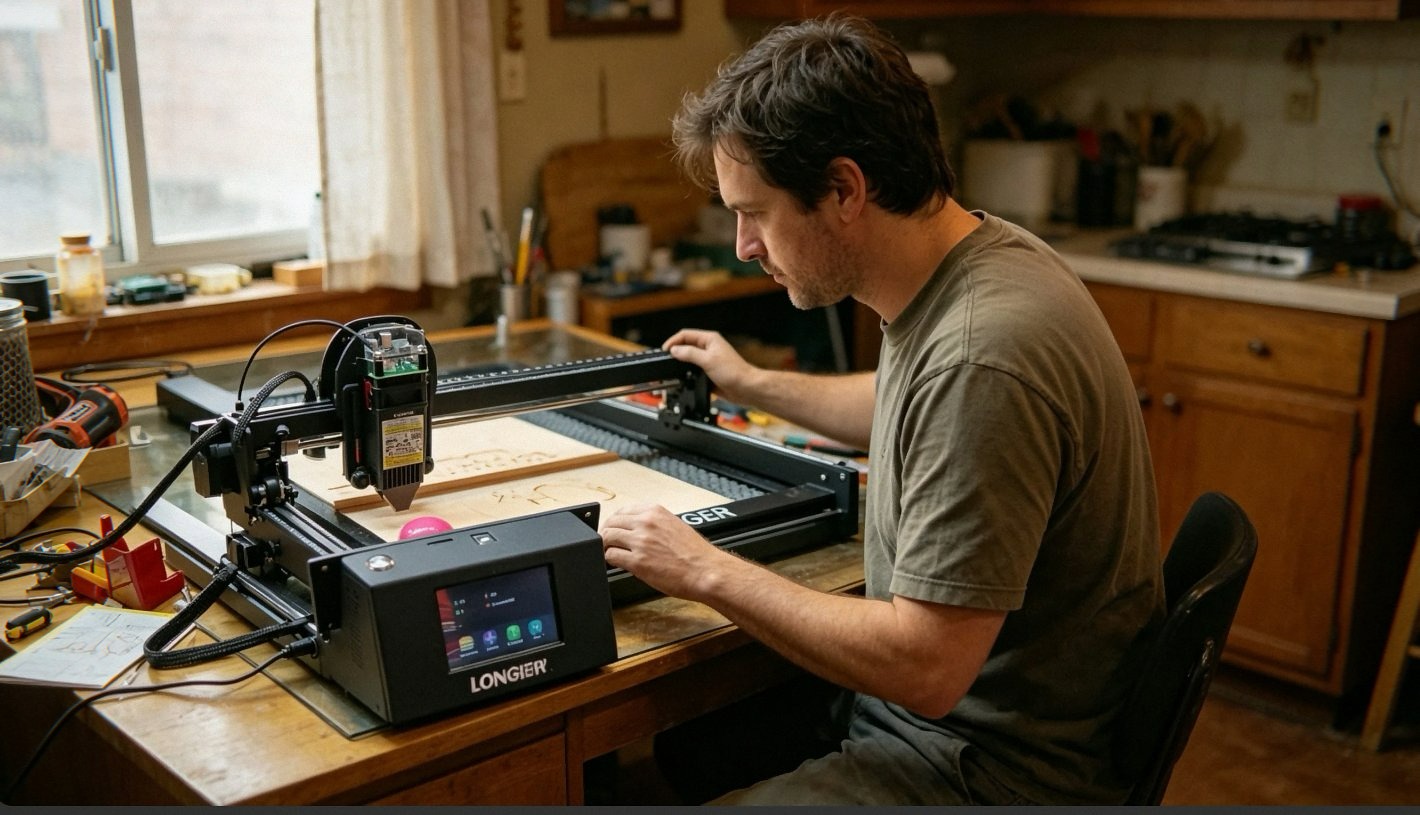
This is a weird feature. The RAY5 supports controlling multiple machines from one device. As in, you can have two or three of these running at the same time from one computer. I don’t have three RAY5s because I’m not a factory, but the idea is interesting for small businesses scaling up production.
It also supports 7x24 continuous operation, which is more than I’ll ever need. The longest job I’ve run was about four hours, and the machine didn’t miss a beat. No overheating, no glitching, no weird errors. The thermal protection kicked in once when I forgot to turn on the air assist, and it shut down automatically. Saved me from what would have been a very expensive oops moment.
The Safety Features: Not Just Marketing
I appreciate safety features that actually work. The RAY5 comes with protective glasses, movement protection, thermal protection, and an emergency stop. All standard stuff for lasers these days, but implemented well.
The movement protection is the standout. If the machine detects unexpected resistance or the gantry gets stuck, it stops immediately. I had a cable snag once during a long cut, and the machine killed the laser before I even noticed something was wrong. That kind of responsiveness is the difference between a “whoops” and a “how much is a replacement gantry?”
The protective glasses are basic but functional. I still recommend getting better ones if you’re doing a lot of engraving—the included ones are fine for occasional use but nothing special.
The Software: LightBurn and Beyond
The RAY5 supports LightBurn, LaserGRBL, and LaserBurn (the free option). I use LightBurn because it’s the best in the business—if you’re getting into laser engraving and you’re not using LightBurn, you’re making your life harder than it needs to be.
The WiFi connection is stable. I’ve had it drop maybe twice in several weeks of use, and both times it reconnected without issue. You can also use USB, TF card, or the mobile app for offline control. The offline capability is useful if you’re working in a location without internet—garages, workshops, abandoned warehouses, wherever.
One thing the product page doesn’t emphasize enough: the air assist is software-controlled. That means LightBurn can turn the air on and off automatically for different parts of a job. This matters because you don’t want air blowing on a delicate engraving area where it might disturb fine details, but you definitely want it on for cuts. It’s one of those details that separates a good machine from a great one.
I’ve heard from others that the longer RAY5 is excellent for beginners, though this 40W version might be overkill for a first machine. There’s a learning curve, but the community is helpful and the software support is solid.
The Downsides: Nothing’s Perfect Longer RAY5 40W on Amazon
The rotary roller for cylindrical engraving is sold separately. That’s a bummer given the price point. The [Algolaser 10W]includes it, and at $379, that’s a value. For the RAY5 40W, it’s an extra $65. Not a dealbreaker, but if you’re planning to do tumblers or mugs right out of the box, factor that in.
One reviewer mentioned the claws on the rotary roller are tough to use for some mugs. Not a huge complaint, but worth noting if you plan to do a lot of curved surfaces.
The machine is loud. Not insanely loud, but louder than I expected. The air assist pump hums, the gantry whirs, and the combination is noticeable. I wouldn’t run it in a room where someone is trying to sleep or work quietly. It’s fine in a garage or dedicated workshop, but my kitchen table setup has definitely ruined a few quiet afternoons.
Some users have reported issues with the homing function failing or files not uploading. This seems to be more common with the older 5W and 10W models than the 40W, but a few reviews mention problems. My unit hasn’t had any issues, but it’s worth being aware of.
The build quality is good, not great. It’s not the precision-machined aluminum of an xTool or the industrial heft of a CO2 laser. It’s a solid desktop machine that feels priced right. The rails are smooth, the belts are tight, but there’s a little flex if you push on the gantry. That’s normal for this price range, but don’t expect the rigidity of a $2,000 machine.
The Cost: What You’re Actually Paying For
At $683, the 40W RAY5 is in a weird spot. It’s cheaper than most 40W diode lasers, but more expensive than the 10W and 20W options from the same brand. The value proposition is simple: you’re paying for cutting depth and speed.
If you’re just doing small wood engravings and occasional cuts on thin material, the 20W version at $369 is probably fine. If you’re cutting thick wood regularly or plan to work with acrylic, the 40W is worth the upgrade.
You also need to consider the accessories. The air assist pump is included, which saves you about $60-80 compared to buying it separately. The rotary roller is extra, the riser base is extra, and if you don’t already have LightBurn, you’ll need to budget for that.
One thing I really appreciate is the 1-year warranty and lifetime technical support. I haven’t needed to use them yet, but seeing the complaints from other brands about support responsiveness, it’s nice to know Longer has a team available.
Who This Is For
You, if you’re a small business owner or serious hobbyist who needs to cut thick materials regularly. If you’re doing production work or making items to sell, the speed and power will pay for themselves quickly.
You probably shouldn’t buy this if you’re a beginner who’s never touched a laser engraver before. Start with something smaller and cheaper—like the 5W or 10W RAY5. This 40W machine is a powerful tool that can cause real damage if you’re not careful, and there’s a learning curve to understand power settings, focus distances, and material behavior.
You shouldn’t buy this if you’re in an apartment with thin walls. The air assist pump is loud and the machine itself is not quiet. Your neighbors will hear it. They might not complain, but they’ll definitely know you’re doing something weird in there.
The Final, Uncomfortable Truth
The Longer RAY5 40W is not the most refined machine I’ve ever used. It’s not the xTool F1 Ultra, and it doesn’t pretend to be. It’s a Chinese-made tool that cuts corners in the packaging and the manual, but not in the actual cutting power.
I made the walnut plaques. Eleven of them, took about three hours total including setup and cleanup. The cuts were clean, the edges were smooth, and my neighbor actually paid me. That’s not a compliment to me. That’s a compliment to the machine.
The dog doesn’t like the sound of the air assist pump. She leaves the room when I turn it on. The cat has accepted it as background noise. They’ve both learned to avoid the workspace when the laser is running, which is probably for the best.
If you grab one through the links here, I might get a small cut — costs you nothing extra and keeps the lights on. You’ll also find the Longer RAY5 40W on Amazon if you decide to pull the trigger.
The air assist pump is running in the background as I write this. I’m doing a test cut on 5mm plywood for a custom phone stand prototype. It’s half-finished and the edges are perfect. The cat is asleep on the couch. The coffee is lukewarm.
Not a bad afternoon, all things considered.