The box was so big that my neighbor asked if I was getting a refrigerator. I told her it was a “craft thing.” She nodded like she understood, but I saw the confusion in her eyes. Then she helped me carry it inside, and I still almost dropped it.
86.8 pounds. That’s not a machine. That’s a small adult. That’s more than the [xTool F2 Ultra] (68 pounds), more than the F1 Ultra (43 pounds), and significantly more than the M2 (35 pounds). This thing is the heavyweight champion of xTool’s lineup, and it’s not even close.
The xTool S1 40W is the machine I bought when I realized that the F1 Ultra’s 8.6 x 8.6-inch work area was too small for what I wanted to do. I had a client request a large wooden sign—something like 18 x 24 inches—and the F1 Ultra couldn’t handle it. I could have done it in sections, but that’s a nightmare of alignment and guesswork. So I made a decision. I bought the S1. And now I have a machine that takes up the entire corner of my garage, weighs as much as a washing machine, and cuts through 18mm cherry wood like it’s warm butter.
I’ve had it for about a month. I’ve made signs, coasters, keychains, engraved tumblers, cut acrylic, and accidentally set fire to a piece of cardboard because I didn’t adjust the power settings. (The fire alarm went off. The cat hid. My girlfriend yelled. I’m not proud.)
Here’s everything I’ve learned.
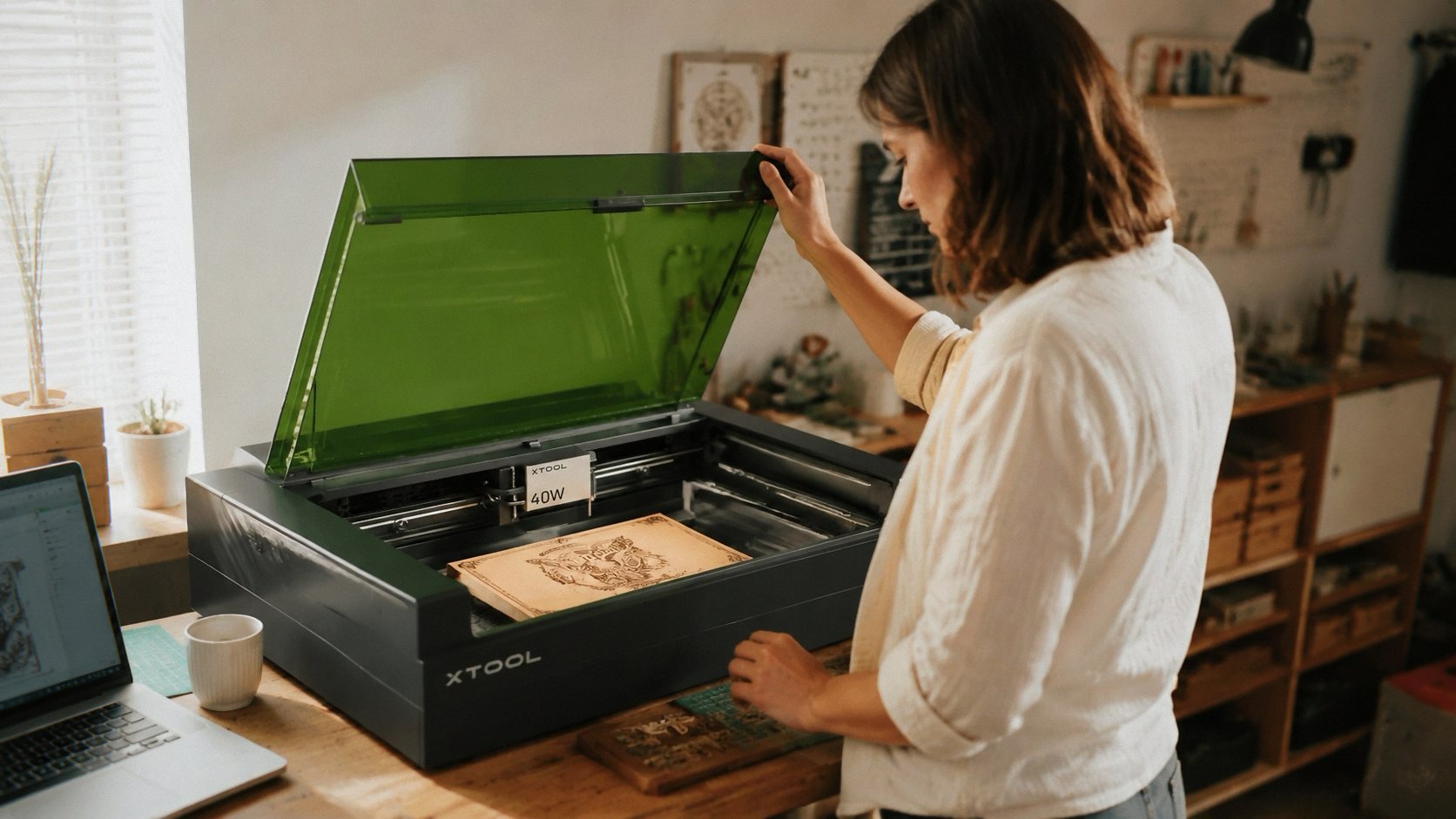
Unboxing: Bring a Friend, Maybe Two See Today’s Deal on Amazon
The box is enormous. 19.6 x 19.6 x 0.04 inches for the machine? That depth figure must be a typo. The actual machine is about 2 feet deep. The packaging weighs 86 pounds. It’s not something you casually lift onto a table. I cleared out a section of my garage workbench—about 4 feet wide—and set up a folding table next to it for the unboxing process.
The machine comes in two main parts: the base unit and the riser. The riser is an accessory that raises the machine so you can use the rotary attachment for tumblers and curved objects. If you buy the “Rotary Bundle” like I did, you get the riser, the rotary tool, and some other accessories. It adds height and makes the S1 look like a proper industrial machine rather than a desktop toy.
Assembly took about an hour. The manual is decent—better than the F1 Ultra’s—but I still ended up watching YouTube videos. The riser attaches with bolts that are easy to align, but heavy. Two people would make this easier. I did it alone and regretted it. I lifted the main unit onto the riser, aligning the holes while holding 86 pounds of metal, and my back gave me a stern warning about future decisions.
Once assembled, the S1 is a tank. The frame is 3mm aerospace-grade aluminum. It doesn’t wobble. It doesn’t flex. When the laser moves at 600mm/s, the machine is rock solid. No vibrations. No shaking. Just smooth, fast cutting.
The Work Area: Finally, Room to Breathe
The S1’s work area is 23.93 x 15.16 inches. That’s massive compared to the F1 Ultra and the M2. You can fit a full sheet of A3 paper with room to spare. You could fit a standard cutting board. You could fit about 119 dog tags in one run, which is a weirdly specific number that xTool advertises, and I believe it.
I made a large wooden sign for a friend’s business. It was 20 x 14 inches, engraved with a logo and text. The S1 handled it without breaking a sweat. No multiple jobs. No repositioning. Just one pass, one piece of wood, one finished product.
The 40W diode laser is the real deal. It cuts through 18mm cherry wood in a single pass. That’s not a typo. 18 millimeters. That’s thick enough for a small shelf or a wall hanging. My F1 Ultra’s 20W diode could cut maybe 15mm, but the S1’s 40W is a different class. It’s not just faster; it’s more capable.
Acrylic is also a breeze. I cut a 15mm black acrylic piece for a display stand. The edges were polished from the heat—no sanding, no rough edges. The laser melted the acrylic slightly and left a clean, glass-like finish. Wood is similar. The cuts are clean, not too charred, minimal cleanup.
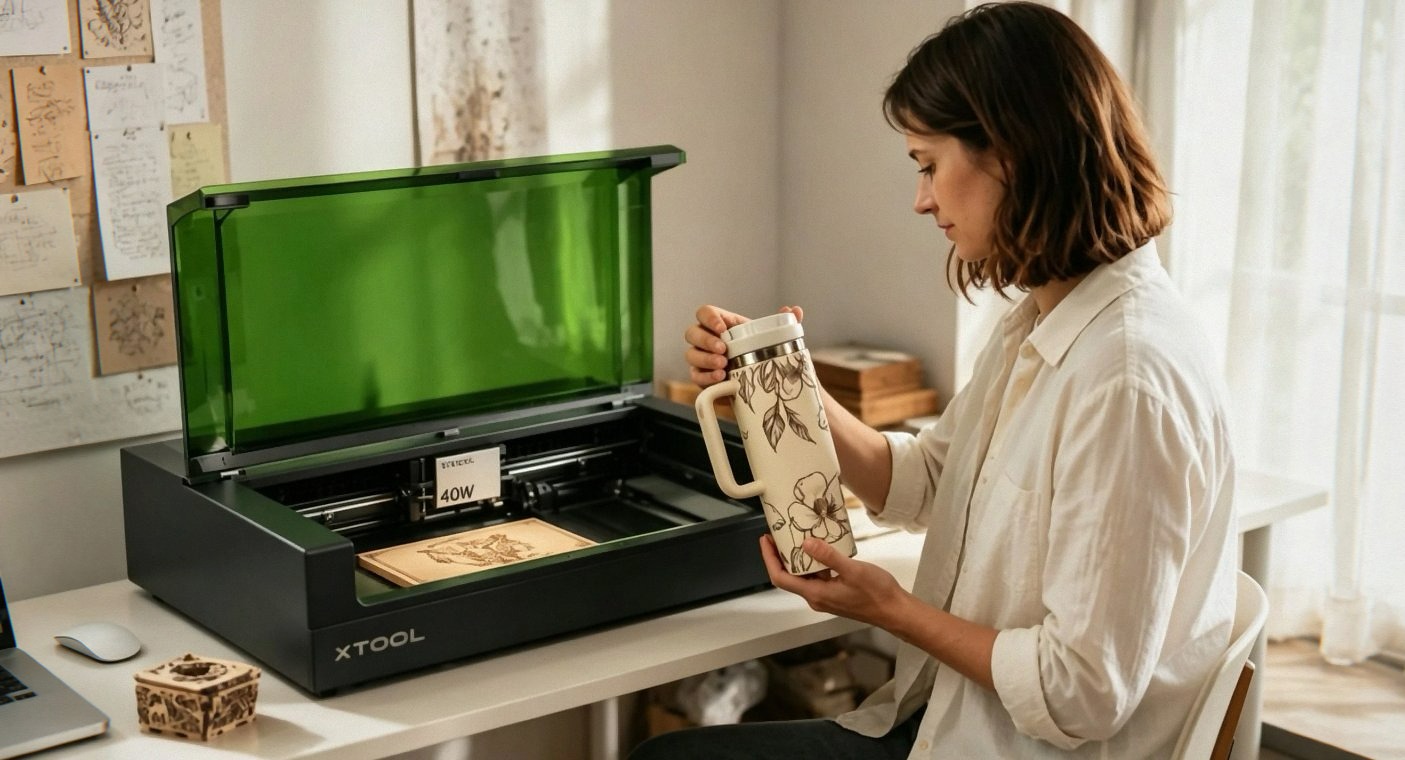
Patented Technologies: Pin-Point Positioning and AutoPassthrough
xTool has two patented technologies on the S1: Pin-Point Positioning and AutoPassthrough. I was skeptical about both. They sounded like marketing buzzwords. They’re actually useful.
Pin-Point Positioning is for curved surfaces. The laser adjusts its focus to follow the curve of a spoon, a plate, or a tumbler. With the rotary attachment, it engraves curved objects without distortion. I tested it on a stainless steel tumbler—the kind with a slight taper—and the engraving was consistent. No stretching at the ends. No blurring in the center. It just worked. I’m used to the F1 Ultra’s rotary, which also works well, but the S1’s implementation feels more refined. Maybe it’s the 40W power. Maybe it’s the software. Either way, I’m impressed.
AutoPassthrough is for long objects. The S1 has a pass-through slot at the back. You can feed material through, and the machine will process it in sections. The maximum length is 118 inches (3000mm). That’s almost 10 feet. You could engrave a wooden plank that’s 8 feet long. I don’t have a need for that yet, but it’s nice to know I could. I tested it with a 4-foot piece of pine, engraving a repeating pattern along the length. The machine stopped at the end of the bed, I fed the wood through a few inches, and it continued. The alignment was good. No gaps. No visible seams.
Software and Ease of Use: Beginner-Friendly, Surprisingly
xTool Creative Space (XCS) is the same software as the other xTool machines. It’s free, it’s intuitive, and it has presets for over 400 materials. I’ve criticized the F2 Ultra’s software for being unstable, but on the S1, it’s been rock solid. No crashes. No connection issues. Just smooth operation.
The auto-focus is quick. The laser lowers to the material, touches it lightly, and sets the focus. It takes maybe two seconds. Then you’re ready to engrave. The preview shows you exactly where the laser will hit, and you can adjust the design with a mouse or touchpad.
For beginners, the S1 is as close to “it just works” as any laser I’ve used. A reviewer named “That other guy” said it’s a “great starter machine,” and I agree—if you have the money and the space. Another reviewer, “Mindlab,” said, “So easy to setup a non-technical person like me could do it.” That’s the kind of feedback that matters. It’s not just for techies. It’s for crafters.
That said, the S1 is expensive for a starter machine. You could buy the M2 for $569 and learn the basics. But if you want to skip the upgrade path and go straight to something that can handle large projects and thick materials, the S1 is the move.
Safety: Class 1, Enclosed, Flame Sensors
The S1 is Class 1 safety certified. The lid filters 99% of laser light, so you don’t need goggles. The enclosure blocks smoke and noise—not completely, but enough that the garage doesn’t fill up with toxic fumes. (I still use an air purifier. I’m not a monster.)
There are five flame sensors inside. If the machine detects a flame, it stops the job. I set fire to a piece of cardboard—accidentally—and the machine shut down immediately. No drama. No fire spread. Just a red light and an error message. The emergency stop button is big and easy to hit. The lid-open stop feature prevents the laser from running if the lid is cracked.
I have a small dog. She’s curious. She sniffs the machine when it’s not running. When it’s running, she stays back. The S1 feels safe in a way that open-frame lasers don’t. It’s not a toy, but it’s also not a hazard.
The Rotary Bundle: Tumblers, Spoons, and Curved Surfaces See Today’s Deal on Amazon
The Rotary Bundle adds about $200 to the price—I don’t remember exactly—and it’s worth it if you do curved objects. The rotary attachment mounts inside the machine on the riser. You put a tumbler, a mug, or a spoon in the holder, and the machine rotates it as it engraves.
I made a batch of engraved tumblers for a friend’s wedding favors. Twenty tumblers, each with the couple’s names and a small design. The rotary tool held each one securely. The engraving was crisp. The rotation was smooth. It took maybe two minutes per tumbler. Not the fastest machine on the planet—the S1’s top speed is 600mm/s, which is slower than the F2 Ultra’s 15,000mm/s—but the quality is high.
The only catch is the height. If you have a tumbler with a handle, the stock rotary tool is too low. You’ll need a third-party riser to lift the rotary tool higher. A reviewer named M Harrell mentioned this: “if you want to do cup with handles you will need a 3rd party kit.” I haven’t tried it, but I believe them. The S1’s clearance is tight. Good to know before you start a batch.
The Downsides: Weight, Smell, and Riser Issues
It’s 86 pounds. I can’t say that enough. It’s heavy. It’s heavy if you’re setting it up alone. It’s heavy if you’re moving it to a new spot. It’s heavy if you’re just trying to rotate it to access the back panel. It’s a permanent installation. You’re not taking this to craft fairs.
The smell is a problem. Cutting wood creates smoke. The S1 has a built-in fan and a vent at the back, but if you’re indoors, you’ll need an exhaust system. I connected a hose to the vent and routed it out a window, but the smell was still noticeable. A reviewer from Canada said, “If you are cutting indoors, you will need to purchase something to help with the air. I have the hose connected to the outside, but the smell was still so strong.” I agree. An air purifier or a smoke extractor is a must. The xTool SafetyPro AP2 is an option, but it’s another $900. Or you can build a DIY exhaust system. It’s a hassle, but it’s better than breathing in wood smoke.
Riser base errors are a thing. A reviewer named Amazon Customer had “major issues with riser base connection exception errors” and said the problem is “quite common.” I haven’t experienced it, but I’ve seen forum posts about it. The connection between the riser and the base unit can fail, causing the machine to stop mid-job. xTool has released firmware updates to fix this, but it’s still a concern. If you buy the S1, update the firmware immediately.
The price. $1,899 is not cheap. It’s more than the M2, less than the F2 Ultra, and comparable to the F1 Ultra with the rotary bundle. But compared to a CO2 laser with a similar work area, the S1 is a bargain. CO2 machines with 24x16 beds start at $3,000 and go up from there. The S1 is a diode laser that performs like a CO2 for half the price.
How It Compares to Other xTool Machines
The xTool M2 is the entry-level machine. $569, 10W, small work area, beginner-friendly. It’s for crafters and hobbyists.
The xTool F1 Ultra is the compact metal engraver. $2,898, 20W fiber and 20W diode, 8.6x8.6-inch bed, fast and precise. It’s for metal work, jewelry, and small items.
The xTool F2 Ultra is the flagship color machine. $4,999, 60W MOPA fiber and 40W diode, 100+ colors on metal, dual cameras, industrial-grade. It’s for serious businesses.
The xTool S1 is the big-bed cutter. $1,899, 40W diode, 23.93x15.16-inch work area, Class 1 safety. It’s for large projects, cutting thick materials, and anything that doesn’t fit on the other machines.
If you’re deciding, think about what you actually need. The S1 is the only xTool machine that can cut 18mm wood in a single pass (aside from the F2 Ultra’s diode, which can do 23mm, but that’s over twice the price). It’s also the only one with a work area this large. If you’re doing signs, large panels, or batch production, the S1 is your machine.
For smaller work, the F1 Ultra is better. For color metal, the F2 Ultra is unbeatable. For learning and small crafts, the M2 is the safest bet. And if none of these sound right, you could also look at the Creality Falcon 10W for a budget option or the LaserPecker LP2 for portability. But for raw power and space, the S1 is the one.
Who Should Buy the S1?
If you make large wooden signs, engravings on big surfaces, or you do batch production of items like coasters, ornaments, or tags, the S1 is the machine for you. The 40W power cuts quickly. The big bed means fewer setups. The Class 1 safety means you can use it in a shared space.
If you’re a hobbyist doing small projects, the S1 is overkill. Buy the M2. Save the money and the back pain.
If you’re a small business that’s growing and you’re tired of piecing together multiple jobs to fit a small bed, the S1 is a solid upgrade. It’s not cheap, but it’s cheaper than a CO2 laser with the same capabilities.
If you’re a creator working with metal, the S1 isn’t the right machine. It has a 1064nm infrared module available separately for $599—I haven’t tested it—but for serious metal work, the F1 Ultra or F2 Ultra are better bets.
If you grab one through the links here, I might get a small cut—costs you nothing extra and keeps the lights on. And I’d say this: the xTool S1 40W is the most straightforward laser cutter I’ve used. It’s big, it’s heavy, it’s powerful, and it works. The software is reliable, the build quality is excellent, and the safety features are genuine.
It’s not perfect. The riser errors are a concern. The smell is a problem. The weight is a commitment. But if you have the space and the budget, the S1 delivers.See Today’s Deal on Amazon
I’ve made about 100 items with this machine. Signs, coasters, tumblers, ornaments, a cutting board for my sister-in-law, and a custom dog tag for my neighbor’s golden retriever. Every single one came out clean. Every single one made someone happy.
The dog doesn’t care about the machine, but she does like the wood scraps. She chews them. I vacuum every day. The garage smells like a sawmill. I think I need better ventilation. I’m researching air purifiers now.
Anyway, the machine is running. I have a batch of engraved maple coasters for a barista friend. The rotary attachment is set up for the next round of tumblers. I can hear the laser hum. It’s oddly calming.
Worth it. Moving on.